
Parametric Grapher with Velocity and Acceleration Vectors
Loading the math board and drawing, please wait…
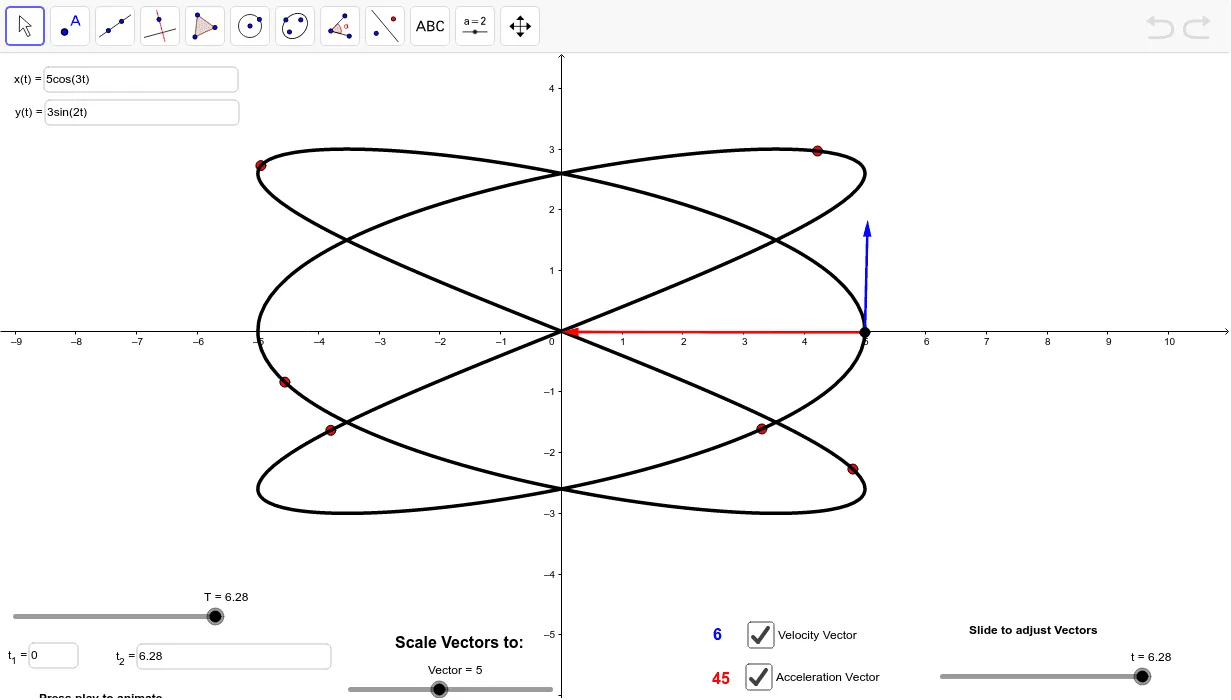
This example demonstrates the graphing of parametric curves and visualizes velocity and acceleration vectors. It involves core math concepts like parametric equations, vectors, velocity, acceleration, and coordinate geometry. Constructed using commands like Vector, CurveCartesian, Sequence, Textfield, Length, Max, Translate, and objects such as T, t_1, f, g, etc. Ideal for high school and above students to understand parametric curves and vector analysis, supporting calculus instruction.
GeoGebra Commands & Parameters
Vector((f(t), g(t)), (f(t) + f''(t), g(t) + g''(t))) → aCurveCartesian(f(t), g(t), t, t_1, T) → a_1Sequence((f(k), g(k)), k, 1, T) → list1Textfield(f) → inputBox1Textfield(g) → inputBox2Vector((f(t), g(t)), (f(t) + f'(t), g(t) + g'(t))) → vLength(a) → bMax(MagA, t_1, T) → ATranslate(MagAScaled, P) → MagAScaled'Vector(P, MagAScaled') → uMax(MagV, t_1, T) → BTranslate(MagVScaled, P) → MagVScaled'Vector(P, MagVScaled') → wLength(v) → eTextfield(StartHere) → inputBox3Textfield(EndHere) → inputBox4
AI Drawing Prompt Reference
Draw a parametric curve and display velocity and acceleration vectors on it. Input two parameter functions f(t) and g(t), then draw the parametric curve. Next, display the velocity vector, which is from a point on the curve to the tangent direction at that point. Then, display the acceleration vector, which is from the velocity vector to the derivative of the velocity vector along the curve. Finally, calculate and display the lengths of the velocity and acceleration vectors, and mark these vectors on the curve.
The prompt above was compiled from the original drawing commands and is for reference only.