
Parametric 3D Heart Surface by Patrick Clément
Loading the math board and drawing, please wait…
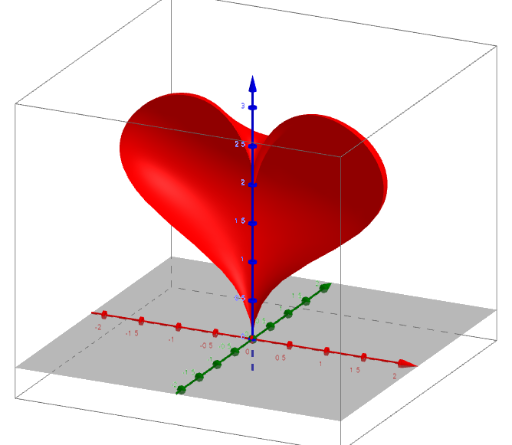
This example demonstrates how to create a 3D heart surface using parametric equations. Key math concepts include parametric equations, 3D analytical geometry, and function graphing. Construction highlights involve commands like Sequence, FitPoly, CurveCartesian, and Surface from GeoGebra, as summarized. Suitable for high school and above students to understand the application of parametric equations in 3D space and the construction of complex surfaces.
GeoGebra Commands & Parameters
Sequence((i, x(Element[P, i])), i, 1, 5) → PxSequence((i, y(Element[P, i])), i, 1, 5) → PyFitPoly(Px, 4) → fxFitPoly(Py, 4) → fyCurveCartesian(fx(t), fy(t), t, 1, 5) → curvSurface(((fx(v) * cos(u)) * att(u)), (((e * fx(v)) * sin(u)) * att(u)), (fy(v) * att(u)), u, 0, fu, v, 1, fv) → cuore
AI Drawing Prompt Reference
Draw a 3D heart surface using parametric equations. First, create a series of points P, then fit these points to obtain two polynomial functions fx and fy. Next, use the CurveCartesian command to draw the curves of these functions. Finally, use the Surface command to generate the 3D heart surface based on fx and fy.
The prompt above was compiled from the original drawing commands and is for reference only.