
Parallel Lines and Transformations in a Trapezoid
Loading the math board and drawing, please wait…
In collections
Parallel Lines and Transformations
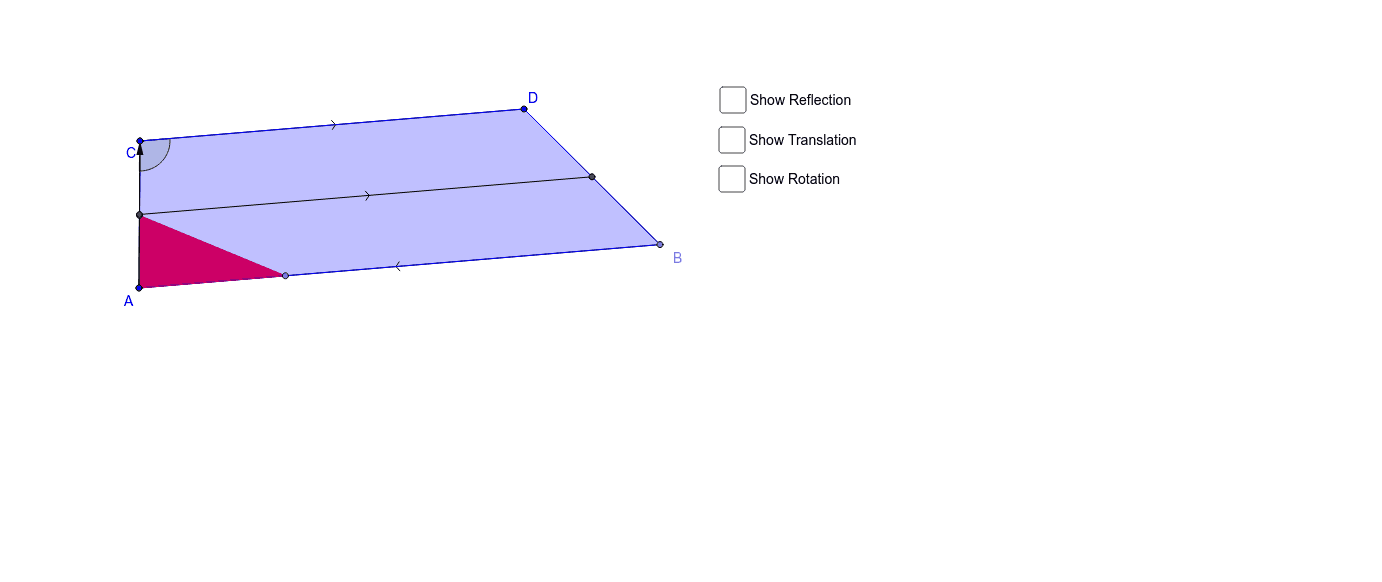
This example demonstrates parallel lines and transformations within a trapezoid. Key mathematical concepts include geometric transformations, vectors, and polygons. Using GeoGebra commands such as Line, Segment, Polygon, Translate, and Rotate, the construction of the trapezoid and its transformed shapes is illustrated. Suitable for students at the middle school level and above.
GeoGebra Commands & Parameters
Line(C, D) → aLine(A, a) → bSegment(A, C) → cPoint(b) → BSegment(D, B) → dSegment(C, D) → eSegment(B, A) → fPolygon(C, D, B, A) → poly1, c_1, d_1, b_1, a_1Point(c) → EPoint(f) → FPolygon(E, A, F) → poly2, f_1, e_1, a_2Midpoint(C, A) → GMidpoint(D, B) → HSegment(G, H) → gMirror(E, g) → E'Mirror(A, g) → A'Mirror(F, g) → F'Polygon(E', A', F') → poly2', f', e', a'Vector(A, C) → uTranslate(E, u) → E'_1Translate(A, u) → A'_1Translate(F, u) → F'_1Polygon(E'_1, A'_1, F'_1) → poly2'_1, f'_1, e'_1, a'_1Rotate(E, 180*°, A) → E'_2Rotate(A, 180*°, A) → A'_2Rotate(F, 180*°, A) → F'_2Polygon(E'_2, A'_2, F'_2) → poly2'_2, f'_2, e'_2, a'_2Angle(A, C, D) → αRay(C, E'_1) → kRay(C, F'_1) → l
AI Drawing Prompt Reference
Draw a trapezoid ABCD with AB and CD being parallel. Then, starting from point C, draw vector u and its opposite vector -u. Translate trapezoid ABCD along vector u to get a new trapezoid A1B1C1D1. Next, rotate trapezoid ABCD and A1B1C1D1 180 degrees around point A to get trapezoids A2B2C2D2 and A3B3C3D3. Finally, draw two rays k and l from point C to E'1 and F'1, respectively.
The prompt above was compiled from the original drawing commands and is for reference only.