
Parabolas and Basketball Trajectory Tracking
Loading the math board and drawing, please wait…
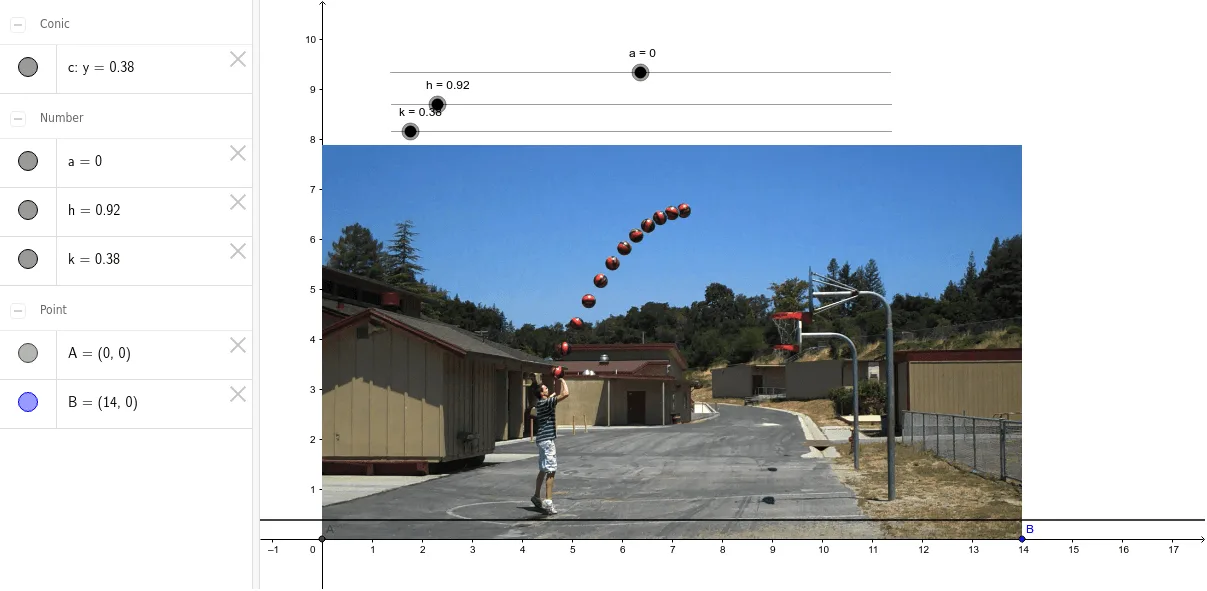
This example demonstrates tracking a basketball's trajectory using a parabolic path. Key math concepts include parabolic equations, parameter adjustments, and coordinate geometry. It is constructed using GeoGebra's Intersect command to find points A, B, and dynamically adjusts the path with parameters a, h, k, displayed with pic1. Suitable for high school mathematics education to understand the connection between parabolas and real-world motion.
GeoGebra Commands & Parameters
Intersect(xAxis, yAxis) → A
AI Drawing Prompt Reference
Draw a Cartesian coordinate plane with a marked intersection point at the origin. From this point, sketch an upward-opening parabola whose vertex lies above the x-axis, ensuring the curve passes through the origin. Place two small dots on the parabola, one on each side of the origin, to represent key positions. The overall figure illustrates a basketball's flight path, with the parabola as the trajectory and the axes for reference. Keep the drawing clean and emphasize the intersection at the origin.
The prompt above was compiled from the original drawing commands and is for reference only.