
Pair of Straight Lines in Double End Cone
Loading the math board and drawing, please wait…
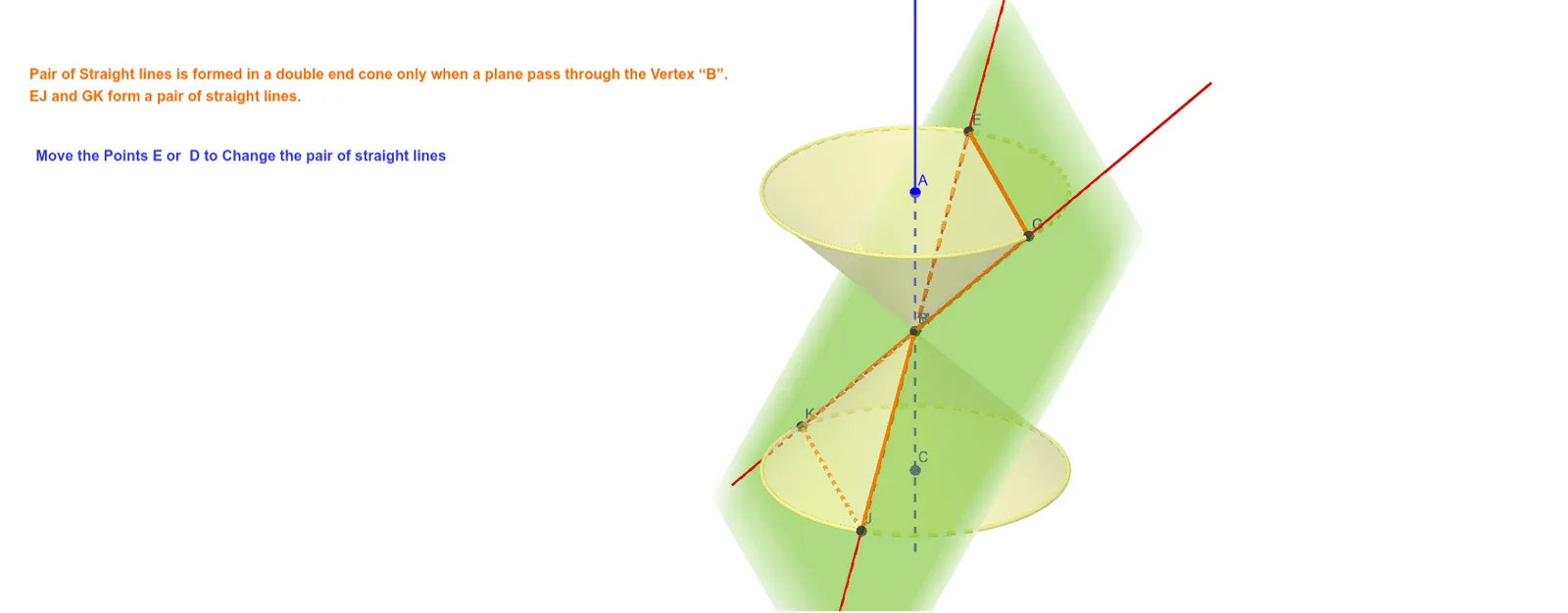
This example demonstrates the generation of a pair of straight lines within a double ended cone and their geometric relationship with the cone. Key mathematical concepts include cone, straight lines, parabola, ellipse, Pythagorean theorem, differential equations, and geometric mean. Construction highlights involve commands/objects like Cone, Line, Point, Plane, IntersectPath, Corner. Suitable for high school and above students to understand the relationship between conic sections and quadratic curves, and for practicing geometric constructions.
GeoGebra Commands & Parameters
Cone(C, B, 3) → a, c, bCone(A, B, 3) → d, e, fLine(A, C) → gPoint(e) → DPoint(e) → EPlane(D, E, B) → hIntersectPath(h, d) → kCorner(k) → F, G, H, IIntersectPath(h, a) → pCorner(p) → J, K, L, MLine(E, J) → iLine(G, K) → j
AI Drawing Prompt Reference
Draw two intersecting lines inside a double-ended cone, showing their geometric relationship with the cone. The cone's vertex is at the origin, and its base is parallel to the coordinate plane. First, construct two identical cones. Then, connect the vertex of the cone to a point on its base to form a line. Next, select two points on the cone's side and use these points along with a point on the base to construct a plane. The plane intersects the cone's side, yielding two lines. Finally, extract the intersection points of these lines and draw them.
The prompt above was compiled from the original drawing commands and is for reference only.