
Outside Circle Intersection and Sector Area Exploration
Loading the math board and drawing, please wait…
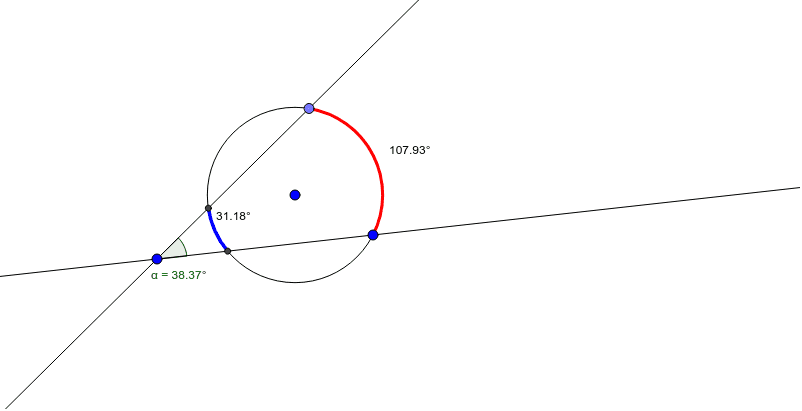
This example demonstrates the geometric configuration formed when two circles intersect, with their intersection points lying outside the overlapping region, and further calculates the related sector areas. Core mathematical concepts include circle intersection, intersection points, central angles, sector area, and the relationship between arc measure and angle. Construction highlights: using GeoGebra commands such as Circle to create circles, Point and Line for auxiliary points and lines, CircleArc to draw arcs, Intersect to find intersection points, Angle to measure central angles, and Area or Pie Chart tools to compute sector areas. Suitable for high school geometry or introductory calculus, this helps students understand circle-circle positional relationships, the connection between angles and areas, and how dynamic parameter changes affect the figure.
GeoGebra Commands & Parameters
Circle(A, B) → cPoint(c) → DLine(D, C) → aLine(C, B) → bCircleArc(A, B, D) → dIntersect(c, a, 2) → EIntersect(c, b, 2) → FCircleArc(A, E, F) → eAngle(F, C, E) → αAngle(B, A, D) → βAngle(E, A, F) → γ
AI Drawing Prompt Reference
Draw two intersecting circles with their intersection points outside the overlapping region. Connect the intersection points to the center with auxiliary lines, and draw the central angles and sectors. Measure the central angles and calculate the sector areas. Show how the figure changes with dynamic parameter adjustments and the relationship between angles and areas.
The prompt above was compiled from the original drawing commands and is for reference only.