
Orthogonal Projection by Rasha Tarek
Loading the math board and drawing, please wait…
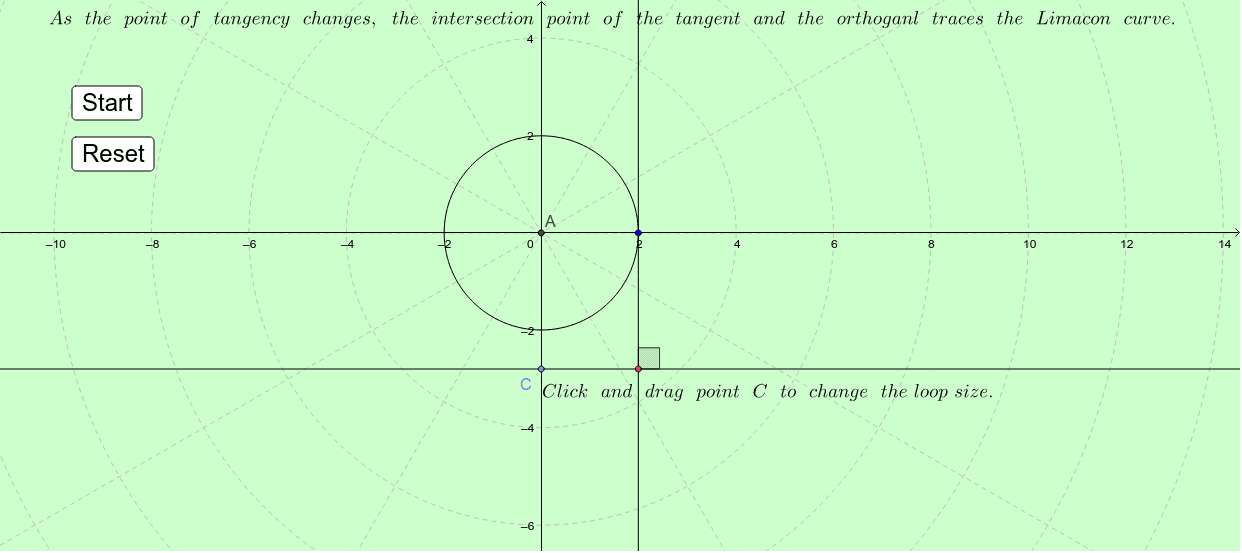
This example demonstrates the geometric construction of orthogonal projection of a point onto a line. Core mathematical concepts include symmetry, unit circle, standard deviation, real numbers, and vector operations. It utilizes GeoGebra commands/objects like Intersect, Point, Circle, Tangent, OrthogonalLine, Rotate, and Angle as outlined in the construction summary. Suitable for high school coordinate geometry, vector, and trigonometry instruction to visualize and understand orthogonal projection and its applications.
GeoGebra Commands & Parameters
Intersect(xAxis, yAxis) → APoint(yAxis) → CCircle(A, B) → cTangent(B, c) → b,OrthogonalLine(C, b) → dIntersect(d, b) → DPoint(d) → EPoint(b) → FRotate(E, 90*°, D) → E'Angle(E, D, E') → α
AI Drawing Prompt Reference
Draw the intersection point A of a horizontal line and a vertical line. Then take a point C on the vertical line. Draw a circle c with A and C as centers, and draw a tangent line b through point B on circle c. Draw a line d from point C that is perpendicular to b, and find the intersection point D of d and b. Take a point E on line d and a point F on line b. Rotate point E around point D by 90 degrees clockwise to get point E', and then measure the angle EDE'.
The prompt above was compiled from the original drawing commands and is for reference only.