
Orthocenter Construction
Loading the math board and drawing, please wait…
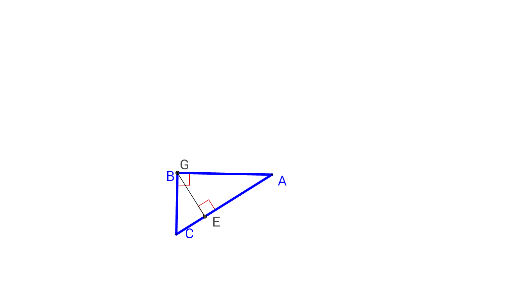
This example demonstrates the construction of the orthocenter of a triangle, which is the point where the three altitudes of a triangle intersect. Using GeoGebra commands such as Polygon, OrthogonalLine, and Intersect, the properties of the orthocenter can be visually illustrated. Suitable for students at the junior high school level and above for geometric construction learning.
GeoGebra Commands & Parameters
Polygon(A, B, C) → poly1, c, a, bOrthogonalLine(A, a) → fOrthogonalLine(C, c) → gOrthogonalLine(B, b) → hIntersect(g, c) → DIntersect(h, b) → EIntersect(f, a) → FIntersect(f, g) → GAngle(G, E, A) → αAngle(G, D, B) → βAngle(G, F, C) → γSegment(B, E) → iSegment(F, A) → jSegment(D, C) → kLine(C, B) → lLine(A, B) → mIntersect(f, l) → HIntersect(g, m) → IAngle(A, H, B) → δAngle(A, I, C) → ε
AI Drawing Prompt Reference
Draw a triangle and construct the altitudes from each vertex to the opposite side, where they intersect at the orthocenter. Connect the orthocenter to each vertex and label the three interior angles. Then, draw lines from each vertex to the orthocenter and label the three exterior angles to illustrate the relationships involving the orthocenter.
The prompt above was compiled from the original drawing commands and is for reference only.