
Optimizing Box Volume
Loading the math board and drawing, please wait…
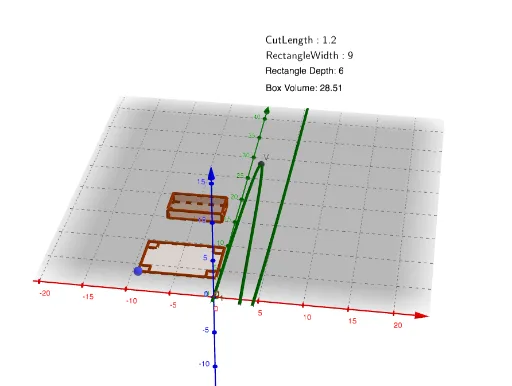
This example demonstrates how to optimize the volume of a box by adjusting the dimensions of its net, involving core math concepts like volume calculation, trigonometry, angles, multiplication, limits, and variance. It uses GeoGebra commands such as Polygon, Prism, and Distance. Suitable for high school students learning solid geometry and optimization problems.
GeoGebra Commands & Parameters
Polygon(A, B, C, D) → q1, a, b, c, d_1Polygon(A, A + (cut, 0), 4, xOyPlane) → poly1, f, g, h, i, E, FPolygon(B, B + (0, (-cut)), 4, xOyPlane) → poly2, j, k, l, m, G, HPolygon(C, C + ((-cut), 0), 4, xOyPlane) → poly3, n, p, q, r, I, JPolygon(D, D + (0, cut), 4, xOyPlane) → poly4, s, t, e, f_1, K, LPrism(Polygon[E + shift, G + shift, I + shift, K + shift], (-cut)) → o, M, edge1, edge2, edge3, edge4, edge5, edge6, edge7, edge8, N, O, P, face1, face2, face3, face4, face5Polygon(E + shift, G + shift, I + shift, K + shift) → q2, _2, _3, _4, _5Distance(A, A + (0, cut)) → u
AI Drawing Prompt Reference
Draw an unfolded box and demonstrate how to optimize its volume by adjusting the lengths of its sides. Start by creating a quadrilateral as the base of the box. Then, extend lines from each vertex of the base upwards and downwards to form the sides of the box. Connect these extended lines to create the top and bottom faces. Finally, assemble these faces into a 3D box, labeling key dimensions and angles to illustrate volume calculation and optimization.
The prompt above was compiled from the original drawing commands and is for reference only.