
One-sided Reflection
Loading the math board and drawing, please wait…
In collections
Light
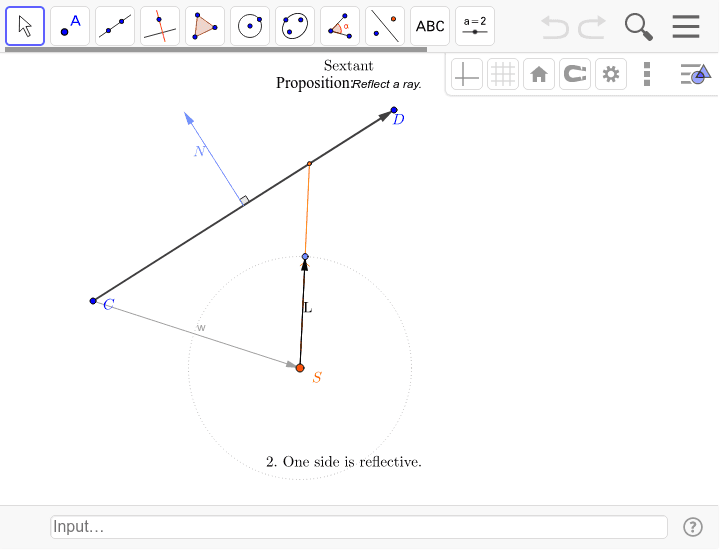
This example demonstrates reflection using the normal vector to distinguish the front and back of a surface. Key mathematical concepts include vectors and reflection transformations. GeoGebra commands used include Circle, Point, Segment, UnitVector, Vector, Midpoint, UnitOrthogonalVector, Angle, If, and Reflection. Suitable for high school or university geometry and physics courses.
GeoGebra Commands & Parameters
Circle(S, 1) → cPoint(c) → ASegment(S, A) → SAUnitVector(SA) → LVector(C, D) → vSegment(C, D) → CDMidpoint(CD) → MUnitOrthogonalVector(v) → NAngle(D, M, M + N) → βVector(C, S) → wIf(oneSide, cond1 ∧ cond2, cond1) → isectReflection21(S, A, C, D, N, oneSide) → SX, X, RRay(X, R) → a
AI Drawing Prompt Reference
Draw a circle c, then pick a point A on the circle and connect SA to find its unit vector L. Given vector v, find its midpoint M and its unit orthogonal vector N, calculate angle β. Then find vector w, and based on condition oneSide, perform the reflection to get SX and point X, and finally draw ray a.
The prompt above was compiled from the original drawing commands and is for reference only.