
Oblique Prism Construction and Demonstration
Loading the math board and drawing, please wait…
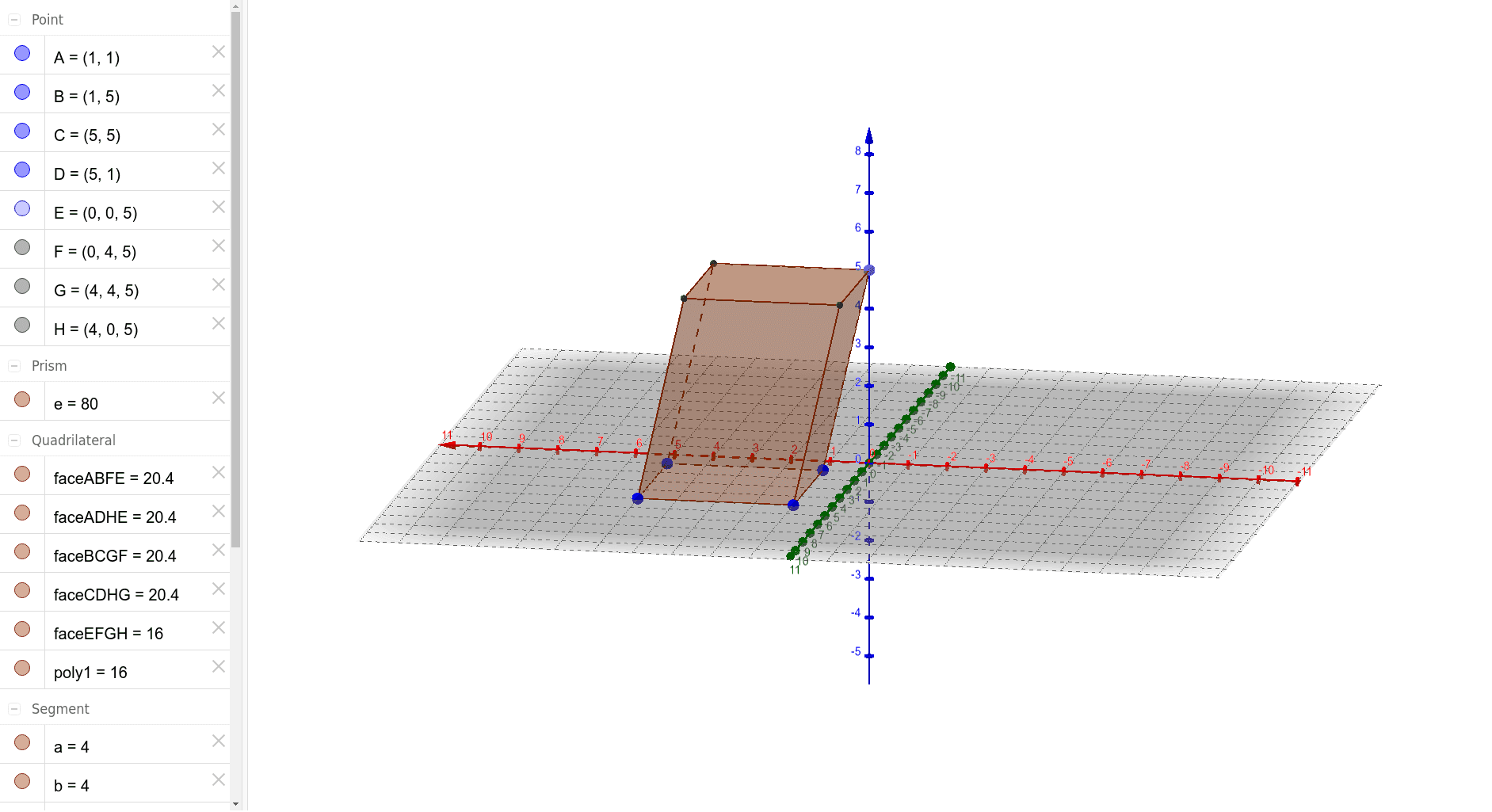
This example demonstrates the geometric construction and properties of an oblique prism, involving core math concepts like polygons, 2D vectors, function graphs, definite integrals, and probability. It uses GeoGebra commands such as Polygon, Point, and Prism. Suitable for high school solid geometry teaching and introductory mathematical modeling.
GeoGebra Commands & Parameters
Polygon(A, B, C, D) → poly1, a, b, c, dPoint(zAxis) → EPrism(poly1, E) → e, F, edgeBF, edgeCG, edgeDH, edgeEF, edgeFG, edgeGH, edgeEH, G, H, faceABFE, faceBCGF, faceCDHG, faceADHE, faceEFGH, edgeAE
AI Drawing Prompt Reference
Draw an oblique prism by first creating a quadrilateral, then extending perpendicular lines from a point outside the plane of the quadrilateral to form the prism's apex, connecting the apex to the quadrilateral's vertices to complete the lateral faces, clearly showing the base and sides of the prism.
The prompt above was compiled from the original drawing commands and is for reference only.