
Number Series Game
Loading the math board and drawing, please wait…
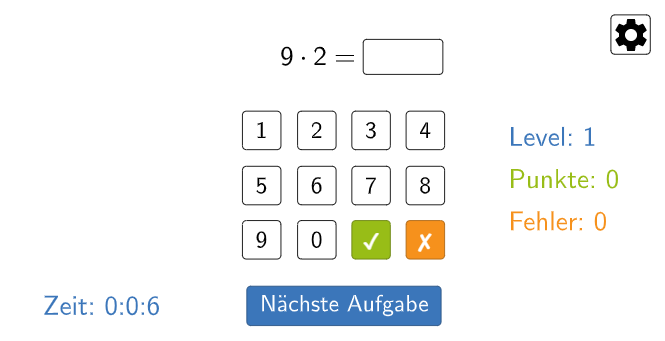
This example demonstrates a game where practicing number series earns points and levels up. Core math concepts include sequences and arithmetic operations. It is constructed using GeoGebra commands and objects like If, Element, Textfield, Polygon, SelectedIndex, Mod. Suitable for middle school and above students for math learning and fun.
GeoGebra Commands & Parameters
If(sortedNumbers, Sequence[i, i, 1, numberSpace], Shuffle[Sequence[i, i, 1, numberSpace]]) → randomNos1Element(randomNos1, Mod[count, numberSpace] + 1) → aIf(sortedRows, {0, 2, 3, 4, 5, 6, 7, 8, 9, 10}, {2, 10, 5, 0, 4, 3, 6, 8, 9, 7}) → randomNos2Element(randomNos2, level) → bTextfield(input) → InputBoxCalcPolygon(A, B, C, D) → q1, a_1, b_1, c, dTextfield(numberSpace) → InputBoxNumSpaceTextfield(answersPerLevel) → InputBoxAnswersPerLevelIf(sortedRows, {"$0$", "$2$", "$3$", "$4$", "$5$", "$6$", "$7$", "$8$", "$9$", "$10$"}, {"$2$", "$10$", "$5$", "$0$", "$4$", "$3$", "$6$", "$8$", "$9$", "$7$"}) → numberListSelectedIndex(numberList) → endSpaceMod(duration, 60) → secondsMod((duration - seconds) / 60, 60) → minutes
AI Drawing Prompt Reference
Create a layout for a “number series game”: draw a polygon panel defined by four vertices, then place text input fields for the player’s input, the available number range (number space), and how many answers per level are used. Generate two related number lists from ordered row sets so the start and target values change by level, and use this mapping to represent each round’s sequence practice. Include a time display area that shows minutes and seconds computed from a duration, suitable for a countdown-style indicator.
The prompt above was compiled from the original drawing commands and is for reference only.