
Net and Surface Area of Trapezoidal Prism by Tok Hong Da
Loading the math board and drawing, please wait…
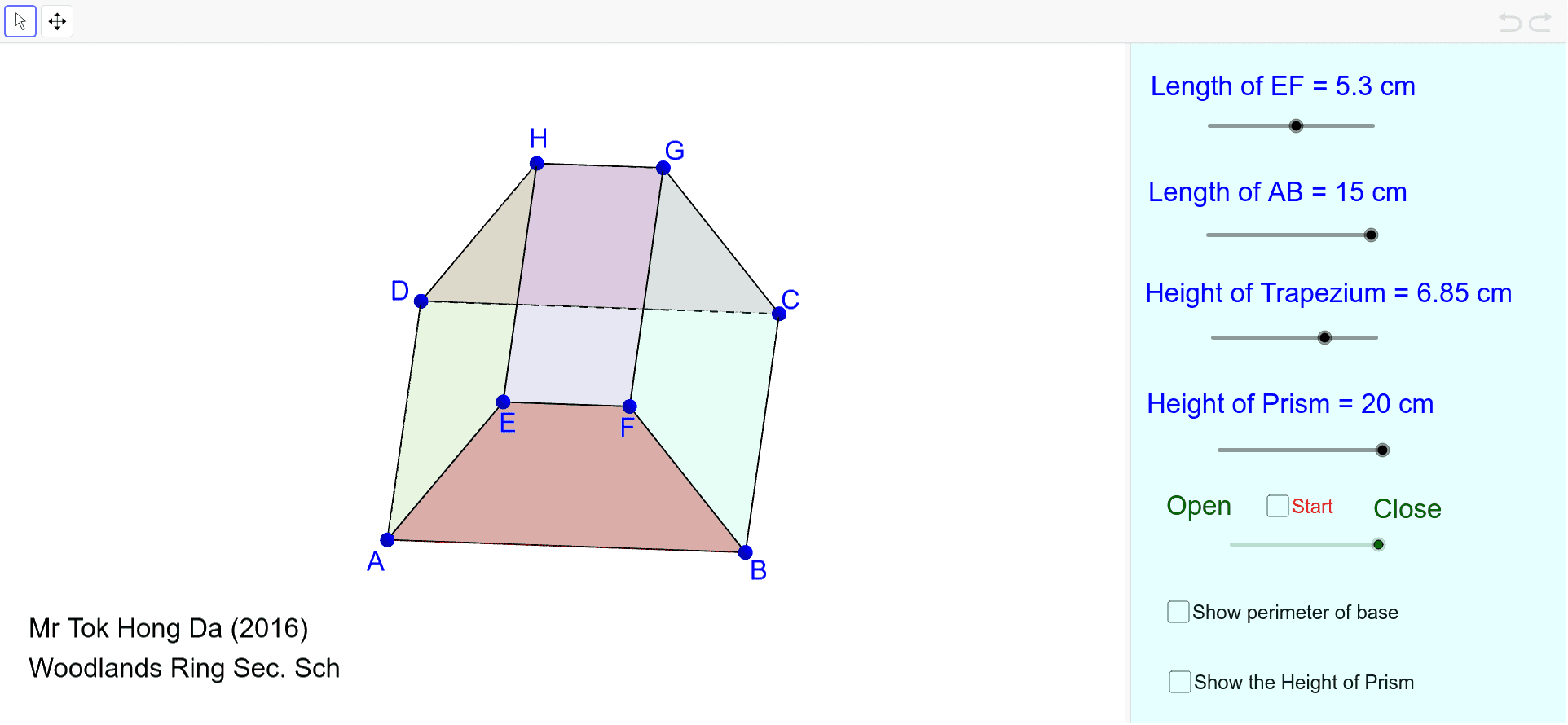
This example demonstrates the net and surface area of a trapezoidal prism. Key mathematical concepts include polygons, solid geometry, and area calculation. Using GeoGebra commands like Polygon, Segment, and Intersect, the example visually illustrates the faces of the trapezoidal prism and its net. Suitable for middle school and above students learning solid geometry and surface area.
GeoGebra Commands & Parameters
Polygon(A, E, H, D) → poly1, a_1, e, h_1, dPolygon(E, F, G, H) → poly2, e_1, f, g, h_2Polygon(I, B, C, J) → poly3, i, b_1, c, jPolygon(A, K, L, B) → poly4, a_2, k, l, b_2Polygon(M, N, C, D) → poly5, m, n, c_1, d_1Segment(G, H) → pSegment(H, D) → qSegment(C, J) → f_1Segment(F, E) → g_1Segment(E, A) → i_1Segment(B, I) → m_1Segment(D, C) → rSegment(A, B) → sIntersect(b_1, f_1) → OIntersect(d, r) → PPolygon(D, A, B, C) → poly6, d_2, a_3, b_3, c_2Midpoint(j) → QPolygon(R, S, T, U) → poly7, r_1, s_1, t_1, u_1
AI Drawing Prompt Reference
Draw a net and surface area diagram of a trapezoidal prism. Start by constructing the prism's faces: two congruent trapezoidal bases and four rectangular lateral faces, then unfold them into a flat net. In the net, place the trapezoids on opposite sides and connect the rectangles in sequence, showing the edges clearly. Add auxiliary segments to indicate how the faces connect, and mark key intersection points and midpoints. Finally, outline the entire net with polygons, ensuring all faces are correctly arranged in the plane to illustrate the prism's structure and the areas needed for surface area calculation.
The prompt above was compiled from the original drawing commands and is for reference only.