
Negative Number Addition and Subtraction Practice
Loading the math board and drawing, please wait…
In collections
Module 1: Negative numbers
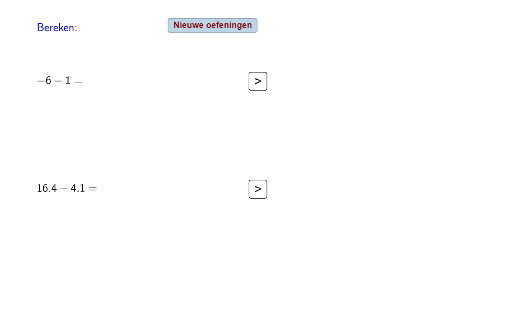
This example demonstrates an interactive practice for addition and subtraction of negative numbers. It involves core math concepts such as negative number operations and value comparison. Construction highlights include using the Random command to generate random numbers and the If command for conditional logic, with objects like a, g, h, b, c, e, d, f, tekst1, tekst4, tekst5, i, tekst8, tekst9, j, k, A, B, l, m, n, o, p, q, r, s, tekst18, t, v, tekst22, w, knop1, knop2, knop3, tekst2, tekst3, tekst6, tekst7, tekst10, tekst11. It is suitable for middle school mathematics teaching or self-learning, helping students visually understand the rules of negative number operations.
GeoGebra Commands & Parameters
Random(0, 1) → aRandom(0, 1) → gIf(g < 1, 1, -1) → hIf(a < 1, 1, -1) → bRandom(1, 20) → cRandom(0, 1) → fRandom(0, 1) → lIf(l < 1, 1, -1) → mRandom(0, 1) → pIf(p < 1, 1, -1) → q
AI Drawing Prompt Reference
Create an interactive practice demonstrating addition and subtraction of negative numbers, including value comparison. Use random number generators to create two sets of numbers with positive and negative signs determined by conditional logic. Display the sum of each pair and annotate the results with text. Suitable for middle school students to visually understand the rules of negative number operations.
The prompt above was compiled from the original drawing commands and is for reference only.