
Multiplying Fractions Example by Colm Duffin
Loading the math board and drawing, please wait…
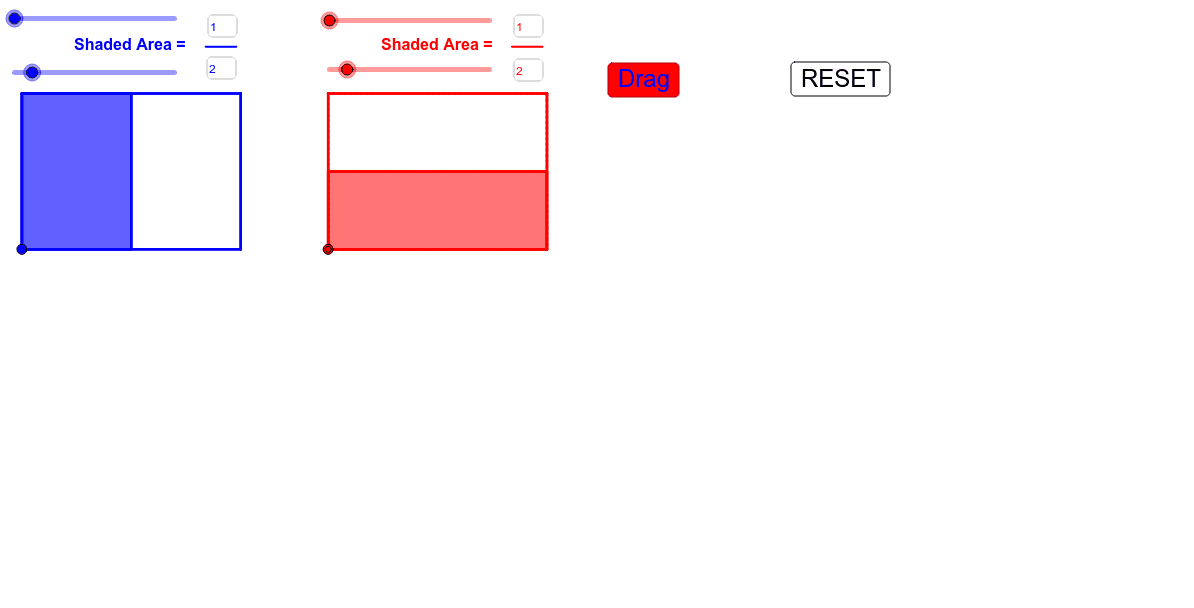
This example demonstrates how to illustrate the multiplication of fractions using geometric shapes. The core mathematical concepts involved include area, fractions, multiplication, and sequences and series. Key points in construction: Utilizes Vector, Point, Textfield, Polygon, Segment, Sequence, CircleArc commands and objects in GeoGebra. Suitable for elementary and middle school students to understand the basic concept and geometric significance of multiplying fractions.
GeoGebra Commands & Parameters
Vector(G, I) → vPoint(G, Vector[If[q > 1, Vector[((q - 1) * v)], Vector[(0 * v)]]]) → KVector(F, I) → uPoint(F, Vector[If[q < 1, Vector[(q * u)], u]]) → JTextfield(N) → InputBox1Textfield(D) → InputBox2Polygon((x(J), y(J)), (x(J) + Z, y(J)), (x(J) + Z, y(J) + Z), (x(J), y(J) + Z)) → poly2, f, g, h, iSegment(A, B) → ePolygon((0, 0), (0, Z), (Z, Z), (Z, 0)) → poly1, a, b, c, dSequence(Polygon[(i, 0), (i + S, 0), (i + S, Z), (i, Z)], i, 0, Z - S, S) → UnitCutSequence(Polygon[(i, 0), (i + S, 0), (i + S, Z), (i, Z)], i, 0, (S * (N - 1)), S) → TheFracPolygon((7, 0), (7, Z), (Z + 7, Z), (Z + 7, 0)) → poly3, j, k, l, mTextfield(E) → InputBox3Segment(C, H) → nTextfield(M) → InputBox4Polygon((x(K), y(K)), (x(K) + Z, y(K)), (x(K) + Z, y(K) + Z), (x(K), y(K) + Z)) → poly4, p, r, s, tSequence(Polygon[(7, j), (7, j + T), (Z + 7, j + T), (Z + 7, j)], j, 0, Z - T, T) → UnitCut2Sequence(Polygon[(7, j), (7, j + T), (Z + 7, j + T), (Z + 7, j)], j, 0, (T * (M - 1)), T) → TheFrac2Sequence(Polygon[(i, y(J)), (i + S, y(J)), (i + S, y(J) + Z), (i, y(J) + Z)], i, x(J), x(J) + (S * (N - 1)), S) → MovingFracSequence(Polygon[(x(K), j), (x(K), j + T), (Z + x(K), j + T), (Z + x(K), j)], j, y(K), y(K) + (T * (M - 1)), T) → MovingFrac2Sequence(Polygon[(i, y(J)), (i + S, y(J)), (i + S, y(J) + Z), (i, y(J) + Z)], i, x(J), x(J) + Z - S, S) → MovingCutSequence(Polygon[(x(K), j), (x(K), j + T), (Z + x(K), j + T), (Z + x(K), j)], j, y(K), y(K) + Z - T, T) → MovingCut2Segment(L, O) → a_1Segment(P, Q) → b_1Segment(R, U) → c_1Textfield(d_1) → InputBox5Textfield(e_1) → InputBox6Polygon(V, W, A_1, B_1, C_1, D_1) → poly5, v_1, w_1, a_2, b_2, c_2, d_2Segment(I_1, J_1) → i_1Segment(K_1, L_1) → j_1CircleArc((x(K) + (0.2 * M), (y(K) + y(G_1)) / 2), (x(G_1) - 0.5, y(G_1)), (x(K) - 0.5, y(K))) → p_1CircleArc(((x(K) + x(H_1)) / 2, y(K) + (0.2 * M)), (x(K), y(K) - 0.5), (x(H_1), y(H_1) - 0.5)) → h_1Segment(M_1, N_1) → k_1Segment(O_1, P_1) → l_1Segment(Q_1, R_1) → m_1Segment(S_1, T_1) → n_1
AI Drawing Prompt Reference
Draw a geometric representation of fraction multiplication, including a unit square and multiple smaller squares representing the multiplication process through division and movement. Start by drawing a unit square, then use sequence commands to create multiple smaller squares, and finally input fraction values via text boxes to dynamically show the result of fraction multiplication.
The prompt above was compiled from the original drawing commands and is for reference only.