
Multiplication Visual Strategy: Arrays
Loading the math board and drawing, please wait…
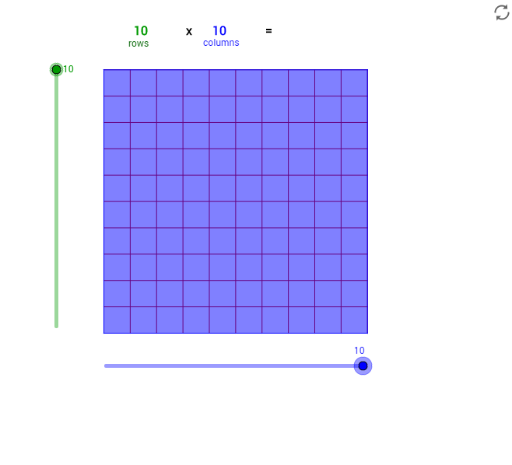
This GeoGebra example demonstrates multiplication through a 3D array model, turning abstract arithmetic into a visual arrangement of rectangular blocks. The core mathematical concepts include multiplication, area/volume models, array counting, and the geometric representation of products as rectangular prisms. Construction highlights: using commands such as Point, Segment, OrthogonalLine, Circle, Intersect, Line, Polygon, and Sequence, the applet builds Columns and Rows objects, generates multiple rectangular faces (poly1) and sequences (list1, list2) to form the array, and employs text objects (text1 to text7) to dynamically display the multiplication expression and result. This resource is ideal for upper elementary students learning multiplication properties (commutative and distributive), as well as for middle schoolers exploring the connection between arithmetic and geometry. It fosters number sense and spatial reasoning through interactive manipulation.
GeoGebra Commands & Parameters
Point(Circle[A, Columns]) → BSegment(A, B) → aOrthogonalLine(A, a) → bOrthogonalLine(B, a) → cCircle(A, Rows) → dIntersect(d, b, 2) → CLine(C, a) → eIntersect(c, e) → DPolygon(A, B, D, C) → poly1, a_1, b_1, d_1, c_1Sequence(Segment[A + (i * (1, 0)), C + (i * (1, 0))], i, 1, Columns) → list1Sequence(Segment[A + (i * (0, 1)), B + (i * (0, 1))], i, 1, Rows) → list2
AI Drawing Prompt Reference
Draw a 3D array of rectangular blocks to visualize multiplication. Start with a horizontal base rectangle whose length and width correspond to two adjustable parameters (columns and rows). From the four vertices of the base, extend vertical edges upward to form a rectangular prism frame. Inside the base, divide the horizontal side into equal parts according to the column count and draw parallel vertical segments; divide the vertical side into equal parts according to the row count and draw parallel horizontal segments, creating a grid. Each small cell represents a unit block, and the total number of blocks equals the product of the two numbers. Add text near the figure to dynamically display the multiplication expression and result.
The prompt above was compiled from the original drawing commands and is for reference only.