
Multiplication Table by Juan Luis
Loading the math board and drawing, please wait…
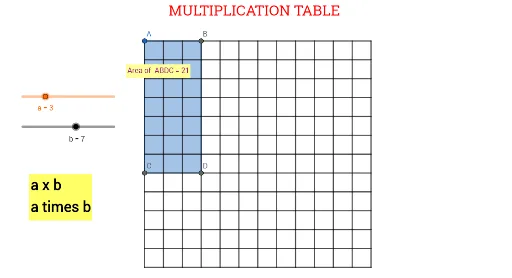
This example demonstrates how to create a multiplication table using GeoGebra, involving core mathematical concepts like multiplication operations and geometric constructions. Key GeoGebra commands and objects used include Polygon, PointIn, Point, and Segment for constructing the table. Suitable for middle school mathematics education or for enthusiasts exploring the integration of geometry and algebra.
GeoGebra Commands & Parameters
Polygon(A, B, D, C) → q1, a_1, b_1, d, cPointIn(q1) → Pointq1_1PointIn(q1) → Pointq1Point(yAxis) → EPoint(yAxis) → FPoint(yAxis) → GPoint(yAxis) → HPoint(yAxis) → IPoint(yAxis) → JPoint(yAxis) → LPoint(yAxis) → MPoint(yAxis) → NPoint(yAxis) → OPoint(yAxis) → N_1Point(xAxis) → O_1Point(xAxis) → P_1Point(xAxis) → Q_1Point(xAxis) → R_1Point(xAxis) → S_1Point(xAxis) → T_1Point(xAxis) → U_1Point(xAxis) → V_1Point(xAxis) → W_1Point(xAxis) → Z_1Point(xAxis) → A_2Point(xAxis) → B_2Polygon(A, C_1, B_2, N_1) → q2, a_2, c_1, b_2, n_1Segment(E, D_1) → fSegment(E_1, F) → gSegment(G, F_1) → hSegment(G_1, H) → iSegment(I, H_1) → jSegment(I_1, J) → kSegment(K, J_1) → lSegment(K_1, L) → mSegment(M, L_1) → nSegment(M_1, N) → pSegment(O, C_2) → qSegment(B_1, A_2) → rSegment(Z_1, A_1) → sSegment(Z, W_1) → tSegment(V_1, W) → eSegment(V, U_1) → f_1Segment(T_1, U) → g_1Segment(T, S_1) → h_1Segment(P, O_1) → i_1Segment(P_1, Q) → j_1Segment(R, Q_1) → k_1Segment(R_1, S) → l_1