
Multiplication Practice with INPUT
Loading the math board and drawing, please wait…
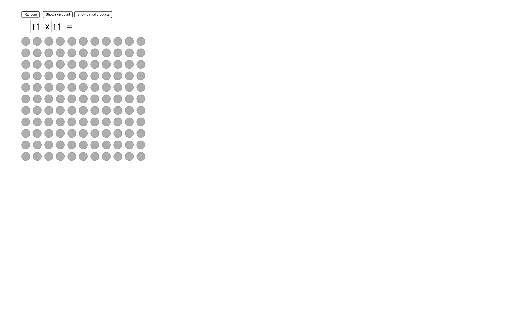
This example demonstrates multiplication practice using input control in GeoGebra. Key mathematical concepts include linear equations, reflection, trigonometry, hyperbola, and intersection. Construction involves commands like Random, Sequence, Segment, OrthogonalLine, and objects such as A, B, C, D. Suitable for middle school students to understand geometric construction and algebraic operations.
GeoGebra Commands & Parameters
Random(1, 11) → Factor2RandomRandom(1, 11) → Factor1RandomSequence(Sequence[Circle[A + (i, (-j)) + (adjusthorizontal, adjustvertical), circlesize], i, 0, Factor1Random - 1], j, 0, Factor2Random - 1) → l1Sequence((i * Factor2Random), i, 1, Factor1Random) → SkipCountSequence(B + (i, 0), i, 0, Factor1Random - 1) → TextLocationSequence(Text[Element[SkipCount, i], Element[TextLocation, i] + (adjusthorizontaltext, adjustvertical)], i, 1, Factor1Random) → SkipCountListSegment(A, D) → fSegment(D, C) → gSegment(C, B) → hSegment(B, A) → iPoint(f) → EOrthogonalLine(E, h) → jPoint(i) → FOrthogonalLine(F, g) → kIntersect(j, h) → GIntersect(k, g) → HSegment(E, G) → lSegment(F, H) → mIntersect(l, m) → IPolygon(A, F, I, E) → Polygon1, a, f_1, i_1, ePolygon(F, B, G, I) → Polygon2, f_2, b, g_1, i_2Polygon(I, G, C, H) → Polygon3, i_3, g_2, c, h_1Polygon(E, I, H, D) → Polygon4, e_1, i_4, h_2, dTextfield(TempFactor1) → InputFactor1Textfield(TempFactor2) → InputFactor2
AI Drawing Prompt Reference
Draw a large rectangle divided into four smaller rectangles by internal lines. Inside the grid, arrange small circles in rows and columns, where the number of rows and columns is determined by two random factors. Place points on the sides of the large rectangle, draw perpendicular lines from these points to opposite sides, and mark their intersections. Connect these points to form four polygonal regions within the rectangle. Below the figure, add two input fields for entering the two factors, which control the circle counts. The overall layout supports multiplication practice with geometric construction and interactive input.
The prompt above was compiled from the original drawing commands and is for reference only.