
Multiplication of Directed Vectors in GeoGebra
Loading the math board and drawing, please wait…
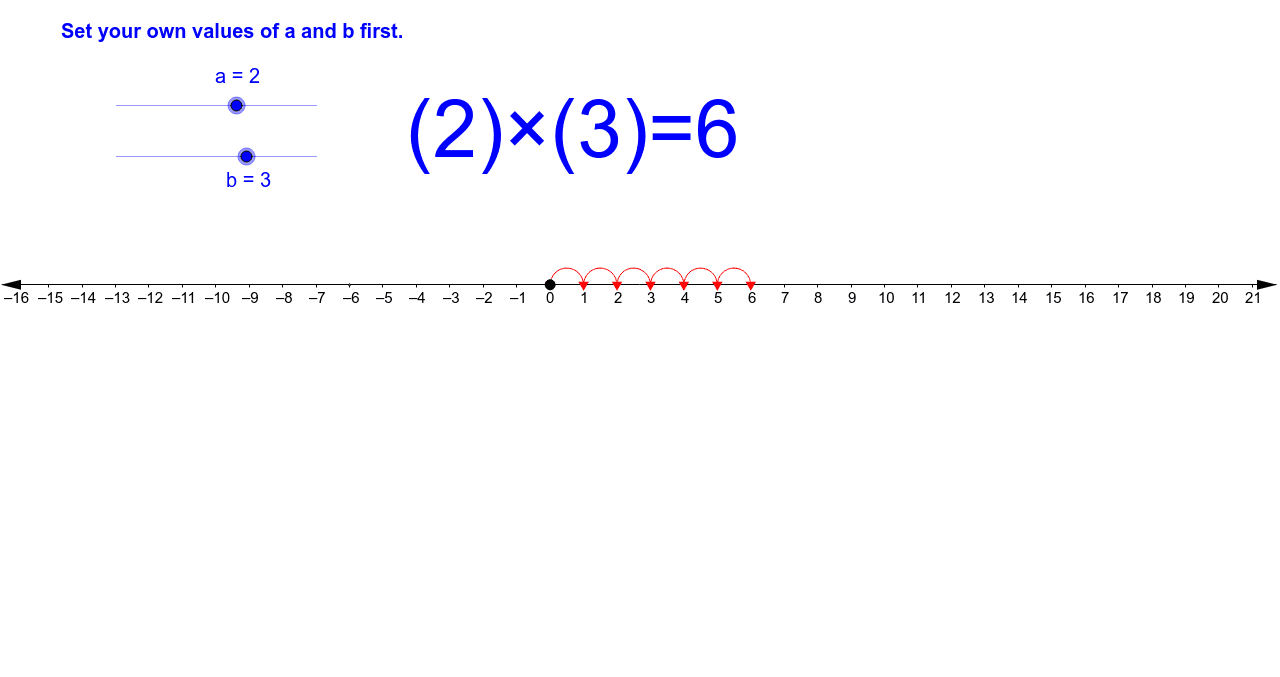
This example demonstrates vector multiplication in a geometric context, using GeoGebra to visualize the product of vectors A and B. Key mathematical concepts include vector operations, geometric transformations, and coordinate systems. Construction involves using Point, If commands to create vector objects and list1_2, c, text1, list2_1, text2 for labeling. Suitable for high school students or college freshmen to understand vector multiplication in geometry and physics.
GeoGebra Commands & Parameters
Point(xAxis) → APoint(xAxis) → BIf((a * b) < 0, Sequence[((-n), 0), n, 0, ((-a) * b)], Sequence[(n, 0), n, 0, (a * b)]) → list1_2If((a * b) > 0, Sequence[Semicircle[Element[list1_2, n], Element[list1_2, n + 1]], n, 1, abs((a * b))], Sequence[Semicircle[Element[list1_2, n + 1], Element[list1_2, n]], n, 1, abs((a * b))]) → list2_1
AI Drawing Prompt Reference
Draw two vectors A and B in a coordinate system. Vector A points from the origin to a point on the x-axis, and vector B points from the origin to a point on the y-axis. Show the geometric meaning of vector multiplication, including scalar multiplication and dot product concepts. Label key points such as the origin, A, B, and the result of multiplication. Keep the diagram simple for learning basic vector operations.
The prompt above was compiled from the original drawing commands and is for reference only.