
Multiple Rotations: Exploring Composite Rotations and Loci
Loading the math board and drawing, please wait…
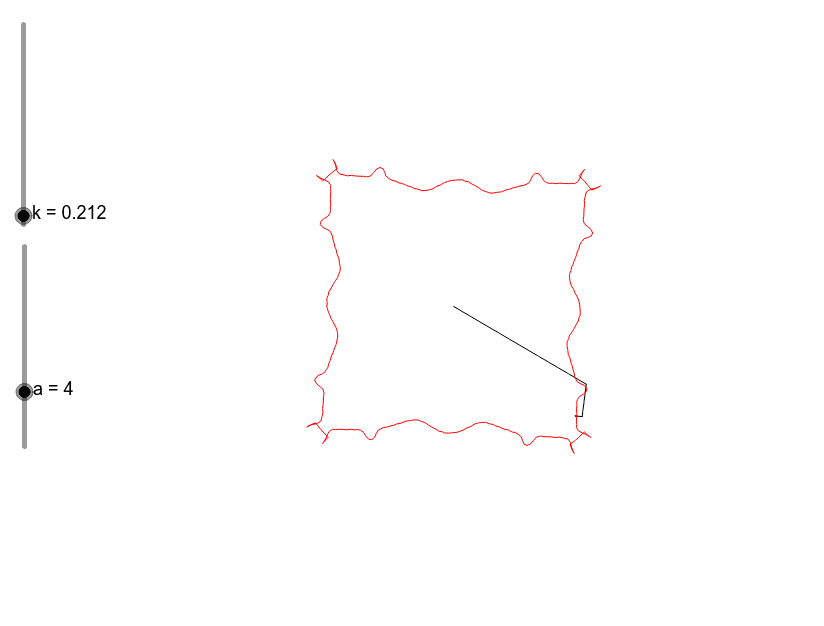
① This GeoGebra example demonstrates the visual effect of multiple successive rotations of points around a center, producing intricate patterns that illustrate composite rotational transformations. ② Core mathematical concepts include rotation (Rotate), dilation (Dilate), locus (Locus), and angle measurement, focusing on rotational symmetry and properties of composed transformations. ③ Construction highlights: using commands such as Intersect, Circle, Point, Angle, and Segment to build the base figure, then applying Rotate to points like B and A to generate series B1, A1 through A7, and using Locus to trace paths, with Element managing object sequences, resulting in a multi-rotation pattern. ④ Suitable for middle or high school geometry classes or math enrichment, helping students understand iterative rotation, locus generation, and transformation composition, while also appreciating aesthetic symmetry.
GeoGebra Commands & Parameters
Intersect(xAxis, yAxis) → ACircle(A, B) → cPoint(c) → CAngle(B1, C1, D1) → E1Dilate(C1, k, D1) → F1Rotate(F1, (((-1)^(A1) * a) * E1), D1) → G1Dilate(C2, k, D2) → F2Angle(B2, C2, D2) → E2Rotate(F2, (((-1)^(A2) * a) * E2), D2) → G2Dilate(C3, k, D3) → F3Angle(B3, C3, D3) → E3Rotate(F3, (((-1)^(A3) * a) * E3), D3) → G3Dilate(C4, k, D4) → F4Angle(B4, C4, D4) → E4Rotate(F4, (((-1)^(A4) * a) * E4), D4) → G4Dilate(C5, k, D5) → F5Angle(B5, C5, D5) → E5Rotate(F5, (((-1)^(A5) * a) * E5), D5) → G5Dilate(C6, k, D6) → F6Angle(B6, C6, D6) → E6Rotate(F6, (((-1)^(A6) * a) * E6), D6) → G6Dilate(C7, k, D7) → F7Angle(B7, C7, D7) → E7Rotate(F7, (((-1)^(A7) * a) * E7), D7) → G7Segment(C1, D1) → H1Segment(C2, D2) → H2Segment(C3, D3) → H3Segment(C4, D4) → H4Segment(C5, D5) → H5Segment(C6, D6) → H6Segment(C7, D7) → H7Locus(D, C) → lieu1Element(liste1, a) → bDilate(C8, k, D8) → F8Angle(B8, C8, D8) → E8Rotate(F8, (((-1)^(A8) * a) * E8), D8) → G8Segment(C8, D8) → H8