
Mr. Rhombus Related to Math Demo
Loading the math board and drawing, please wait…
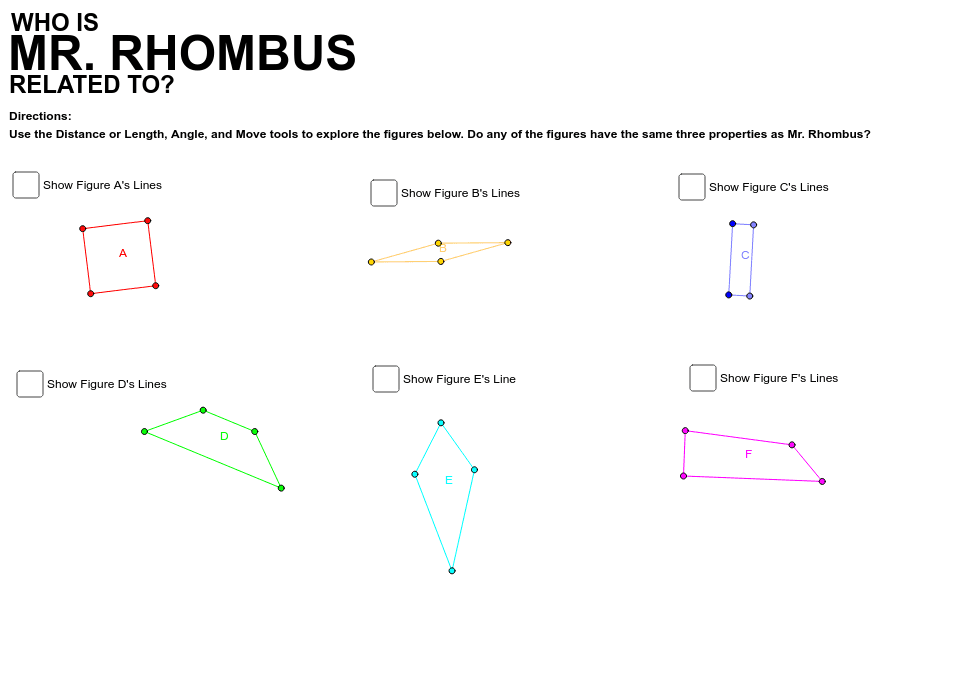
This example demonstrates the relationships between a rhombus, circle, geometric mean, parametric curves, and distributions. It involves core mathematical concepts such as the properties of rhombuses, geometric mean calculations, parametric equation applications, and circle constructions. The construction uses GeoGebra commands like Line, Circle, OrthogonalLine, Intersect, Polygon, Point, LineBisector, and Mirror. It is suitable for high school and above students to understand geometric constructions and parametric equations.
GeoGebra Commands & Parameters
Line(A_1, B_1) → aCircle(A_1, B_1) → cOrthogonalLine(A_1, a) → bIntersect(c, b, 2) → C_1OrthogonalLine(C_1, b) → dOrthogonalLine(B_1, a) → eIntersect(d, e) → D_1Polygon(A_1, C_1, D_1, B_1) → A, a_1, c_1, d_1, b_1Line(E_1, F_1) → gCircle(E_1, F_1) → hPoint(h) → GCircle(G, E_1) → kCircle(F_1, E_1) → pIntersect(k, p, 2) → HLine(E_1, G) → iLine(G, H) → jLine(H, F_1) → lPolygon(E_1, G, H, F_1) → B, e_1, g_1, h_1, f_1Line(I, J) → nOrthogonalLine(I, n) → qLine(J, q) → rPoint(q) → KLine(K, n) → sIntersect(r, s) → LPolygon(L, J, I, K) → C, l_1, j_1, i_1, k_1Line(D_2, M) → tLine(M, N) → m_1LineBisector(M, N) → n_1Mirror(D_2, n_1) → D'Line(D', D_2) → p_1Line(D', N) → q_1Polygon(D_2, M, N, D') → D, d_2, m_2, n_2, d'Line(O, P) → r_1LineBisector(O, P) → s_1Point(s_1) → QPoint(s_1) → RLine(O, Q) → t_1Line(Q, P) → a_2Line(P, R) → b_2Line(R, O) → c_2Polygon(R, O, Q, P) → E, r_2, o_1, q_2, p_2Line(S, T) → e_2Line(S, U) → f_2OrthogonalLine(U, f_2) → g_2Point(g_2) → VLine(V, T) → h_2Polygon(U, S, T, V) → F, u_1, s_2, t_2, v_1
AI Drawing Prompt Reference
Draw a rhombus using its diagonals as the diameter of a circle. Then, construct a series of circles and lines to form multiple new polygons. Start by drawing a line segment AB, using it as the diameter to draw circle c, construct the perpendicular line b to AB, find the intersection C of b and c, then draw circle d with C as the center, find the intersection D of d and b, and connect AD and BC to form the rhombus. Next, draw line segment EF, use it as the diameter to draw circle h, find the intersection G of h and circle E, then draw circle k with G as the center, find the intersection H of k and circle F, and connect EFGH to form another rhombus. Continue constructing a series of circles and lines to form multiple new polygons.
The prompt above was compiled from the original drawing commands and is for reference only.