
Moving a Circle
Loading the math board and drawing, please wait…
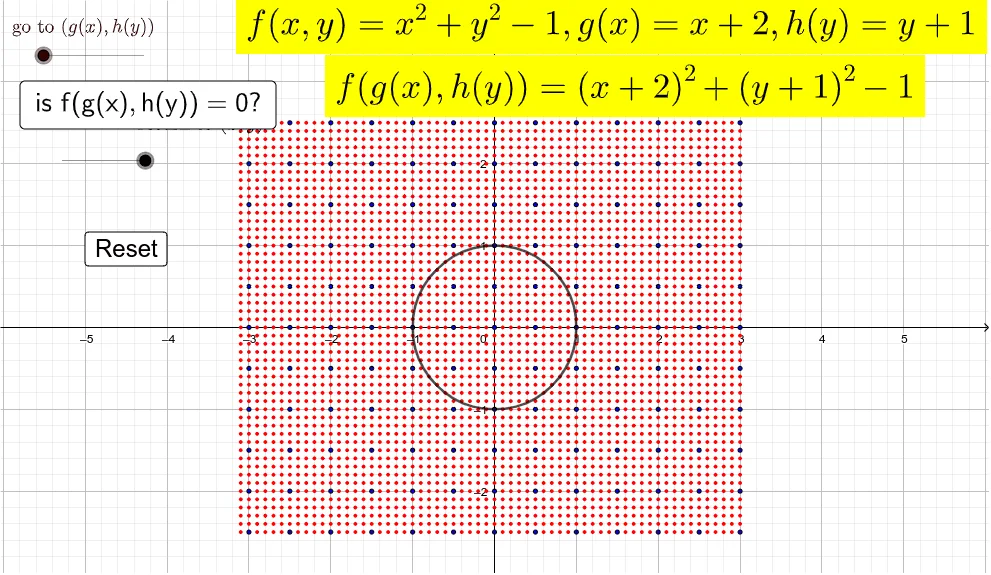
This example demonstrates how to move a unit circle down by 2 units and left by 1 unit. The core math concepts involved include circle, function graph, and vectors. The construction uses the GeoGebra command Sequence with objects like n, d, v, xl, xr, yt, yb, P9, button1, text1, text2, button2, L_1, P, c, Q. It is suitable for middle school and above students to learn about geometric transformations and the movement of function graphs.
GeoGebra Commands & Parameters
Sequence(Sequence[(i / 2 - 3 + (2 * d), j / 2 - 2.5 + d), j, 0, 10], i, 0, 12) → L_1Sequence(Sequence[((0.1 * i) - 3.1 + (2 * d), (0.1 * j) - 2.5 + d), j, 0, 50], i, 0, 61) → PSequence((cos((i * π / 20)) - (2 * (1 - n)), sin((i * π / 20)) - (1 - n)), i, 0, 39) → Q
AI Drawing Prompt Reference
On a coordinate plane, draw a unit circle centered at the origin (radius 1) as a parametric function graph. Then illustrate the circle after translating it 1 unit to the left and 2 units down. Use a vector idea to represent the translation direction and magnitude: generate a sequence of points along the unit circle using a parameter, and apply the same translation to all those points to obtain the moved circle. Display the original circle and the translated circle together to highlight their positional relationship after the shift.
The prompt above was compiled from the original drawing commands and is for reference only.