
Modelling a Basketball Throw with Quadratic Functions
Loading the math board and drawing, please wait…
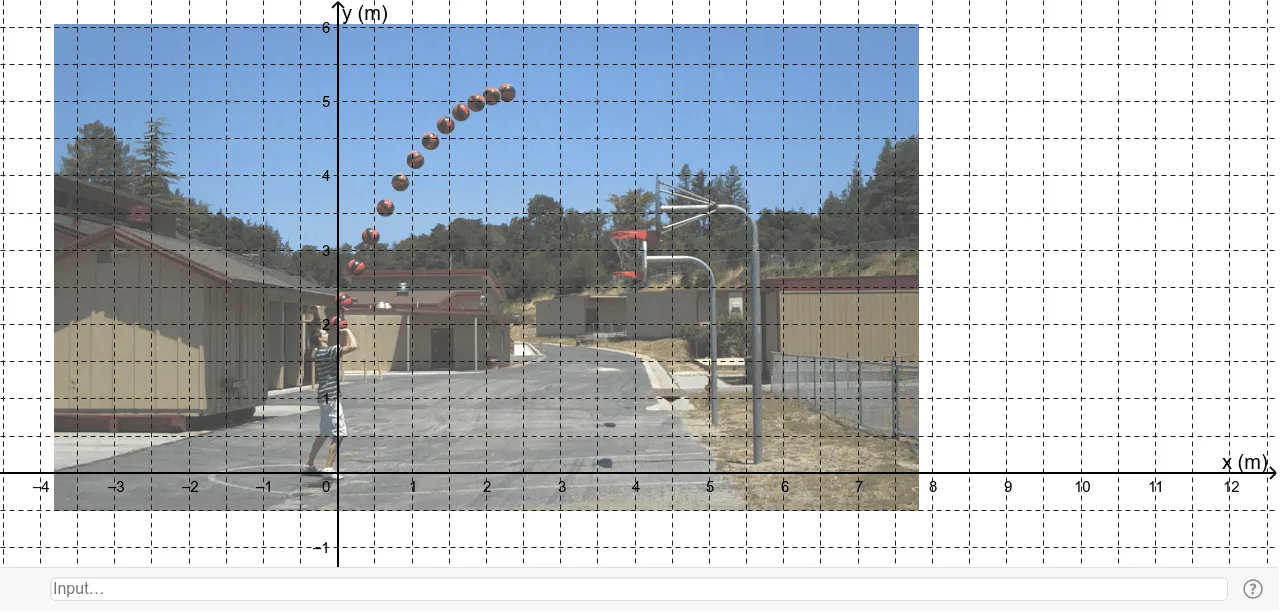
This example demonstrates how to model the trajectory of a basketball throw using quadratic functions. Key math concepts involved include functions, quadratic functions, addition, angles, rotation, and upper and lower sums or Riemann sums. Construction highlights involve using GeoGebra commands to create objects B, A, pic1_2, c, and d. Suitable for high school students learning the application of quadratic functions and understanding the connection between function graphs and real-world physical phenomena.
GeoGebra Commands & Parameters
Point B(7.81880312715815, -0.5083905370039405)Point A(-3.816662042830972, -0.5083905370039405)Conic cConic d
AI Drawing Prompt Reference
Draw a basketball throw trajectory using quadratic functions, including two points on the ground and a parabola for the trajectory, with two helper curves, start by plotting the two points, then draw the parabola, and finally add the helper curves.
The prompt above was compiled from the original drawing commands and is for reference only.