
Modeling Linear Growth Quiz: Slope & Difference Feedback
Loading the math board and drawing, please wait…
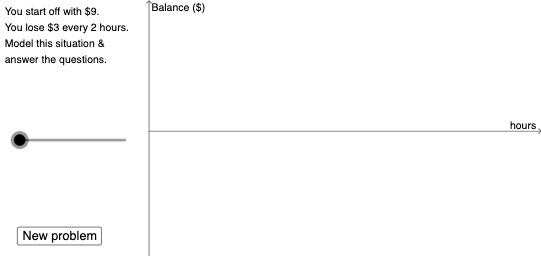
This example demonstrates how to model linear growth using an interactive quiz format that provides feedback based on the constructed relationships. It focuses on understanding linear functions through key ideas such as difference and slope, interpreting growth via slope, and using arithmetic mean concepts to summarize or check values. The construction relies on GeoGebra tools including Dilate for scaling/transform-based construction, Vector and Segment to represent growth direction and change magnitude, Random to generate randomized question parameters, and If to control conditional logic for immediate feedback. Textfield and multiple text objects present prompts and computed results, while an input box (InputBox3) and interactive controls like button1 support user responses. Suitable for middle school and early high school learning—topics include graphing linear equations, interpreting slope, and using quick assessment for feedback-driven practice.
GeoGebra Commands & Parameters
Dilate(B, If[0 < a ≤ 1, 1 - a, 0], A) → B'Vector(B, B') → uDilate(A, If[2 < a ≤ 3, 3 - a, 0], C) → A'Vector(A, A') → vDilate(C, If[3 < a ≤ 4, 4 - a, 0], D) → C'Vector(C, C') → wDilate(D, If[5 < a ≤ 6, 6 - a, 0], E_{1}) → D'Vector(D, D') → cDilate(E_{1}, If[6 < a ≤ 7, 7 - a, 0], E) → E'Vector(E_{1}, E') → eDilate(A, If[8 < a ≤ 9, 9 - a, 0], D) → A'_{1}Segment(A, A'_{1}) → gDilate(D, If[9 < a ≤ 10, 10 - a, 0], E) → D'_{1}Segment(D, D'_{1}) → hRandom(-10, 10) → b_1Random(-10, 10) → n_1Random(1, 10) → d_1If(n_1 ≥ 0, "earn", "lose") → text7If(d_1 > 1, "hours", "hour") → text8Textfield(p) → InputBox3Textfield(o) → InputBox1If(o ≟ n_1 / d_1, "Yes!", "no") → text9If(p ≟ q, "Yes!", "no") → text10
AI Drawing Prompt Reference
Create an interactive graph demonstrating linear growth through scaling and vector transformations. Start by generating random points and using vectors to represent growth direction and magnitude, then create multiple points via dilation and connect them with line segments. Include randomly generated values and provide feedback based on user input, suitable for understanding linear functions and slope concepts.
The prompt above was compiled from the original drawing commands and is for reference only.