
Meaning of π & its connection to the circumference
Loading the math board and drawing, please wait…
In collections
Visual Geometry for Grade 9
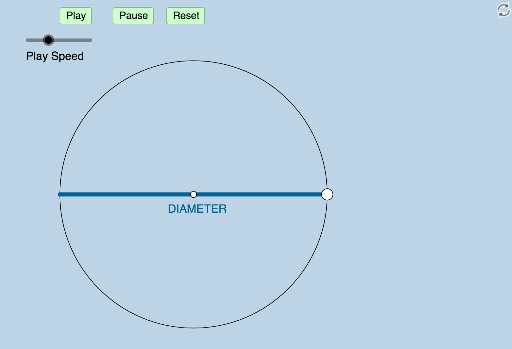
This example dynamically illustrates the true meaning of π, visually demonstrating the constant ratio between a circle's circumference and its diameter through geometric transformations. Core mathematical concepts include Circle, Natural Numbers, Dilation, Arithmetic Mean, Linear Regression, and Combinatorics. The construction leverages GeoGebra commands and objects such as Center, Segment, Rotate, Angle, CircleArc, and Dilate as outlined in the summary. Suitable for high school and above, it helps learners understand the geometric essence and transformation properties of π.
GeoGebra Commands & Parameters
Center(c) → ASegment(C, B) → bRotate(B, 114.59155902616465°, A) → B'Angle(B, A, B') → αRotate(B', 114.59155902616465°, A) → B''Angle(B', A, B'') → βRotate(B'', 114.59155902616465°, A) → B'''Angle(B'', A, B''') → γRotate(B, If[0 < d < 1, (d * α), α], A) → B'_1CircleArc(A, B, B'_1) → eDilate(C, If[0 < d < 1, 1 - d, 0], B) → C'Segment(C', B) → fSegment(C', C) → gRotate(e, If[1.2 ≤ d ≤ 2.2, ((d - 1.2) * α), α], A) → e'Dilate(C, If[1.2 < d < 2.2, 2.2 - d, 0], B) → C'_1Segment(C'_1, B) → hSegment(C, C'_1) → iRotate(B, If[1.2 < d < 2.2, ((d - 1.2) * α), α], A) → B'_2CircleArc(A, B, B'_2) → kDilate(C, If[2.4 < d < 3.4, 3.4 - d, 0], B) → C'_2Segment(C'_2, B) → jSegment(C, C'_2) → lRotate(B, If[2.4 < d < 3.4, ((d - 2.4) * α), α], A) → B'_3CircleArc(A, B, B'_3) → pRotate(e', If[2.4 ≤ d ≤ 3.4, ((d - 2.4) * α), α], A) → e''Rotate(k, If[2.4 ≤ d ≤ 3.4, ((d - 2.4) * α), α], A) → k'CircleArc(A, B, B') → qCircleArc(A, B''', B) → rCircleArc(A, B, B') → sCircleArc(A, B', B'') → tCircleArc(A, B'', B''') → c_1CircleArc(A, B''', B) → d_1
AI Drawing Prompt Reference
Start with a circle defined by a center and a point on it, and construct the diameter-related segment. Create several additional points on rays from the center by rotating around the center by a fixed angle, then draw circle arcs between consecutive points to form a continuous arc chain based at the same starting point. Next, use a dilation (scaling) about the center to obtain scaled copies of the circle and the corresponding scaled points, and on each scaled circle draw further arcs between the appropriate start and end points. Emphasize the shared center and how each arc segment is determined by the related rotated and scaled points, illustrating a consistent circumference-to-diameter ratio through geometric transformations.
The prompt above was compiled from the original drawing commands and is for reference only.