
MCU en polares
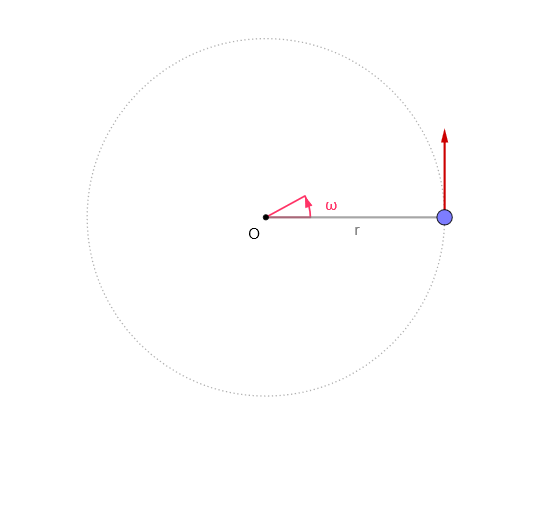
Loading the math board and drawing, please wait…
In collections
El dominio del Tiempo (cinemática intuitiva)
GeoGebra Commands & Parameters
Circle((0, 0), r) → cSegment(O, M) → sIf(Length[reg] ≟ 1, {reg(1)}, Sequence[reg(k) - reg(k + 1), k, 1, Length[reg] - 1]) → regDifmean(regDif) → TAngle((1, 0), O, Rotate[(1, 0), ω]) → αSegment(O, P) → f
AI Drawing Prompt Reference
Create a coordinate plane with an origin O at (0,0) and draw a circle centered at O with a chosen adjustable radius. Mark a point M on the circle and draw the segment from O to M. Show the ray starting from (1,0) and construct its rotated position about O by an angular velocity ω, then display the angle between the original ray (1,0) and the rotated ray. Finally draw the segment from O to the point P on the rotated direction, forming a geometric setup that illustrates uniform circular motion in polar form.
The prompt above was compiled from the original drawing commands and is for reference only.