
Matrices as Linear Transformations: From Vectors to Mapped Geometry
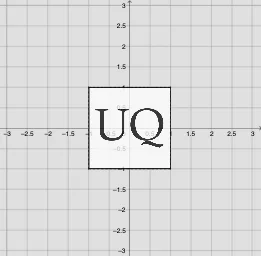
Loading the math board and drawing, please wait…
This example demonstrates how applying a matrix to a vector produces classic linear transformations—such as rotation, reflection, shearing, and scaling—and how those transformations move and reshape geometric figures in the plane. It centers on the mathematical link between linear maps and matrix representations, including coordinate transformation of vectors/points, the use of determinants to interpret effects on orientation and area, and geometric constructions that make the results visually clear. The construction uses GeoGebra commands such as Element and SelectedIndex for parameter/item selection, Intersect, Circle, and OrthogonalLine to build geometric reference points and constraints, Polygon and Point to create and display the original and transformed shapes, and Vector to represent the entities being transformed. The core mapping is done with ApplyMatrix using matrix definitions collected via ListMatrix (and flattened with Flatten), while Determinant is used to analyze the transformation matrix. Textfield supports dynamic parameter labeling. Suitable for high school to early university levels, especially linear algebra and transformation-geometry instruction.
GeoGebra Commands & Parameters
Element(Reflections, (2 * indexreflection) - 1) → reflectiony1Element(Reflections, (2 * indexreflection)) → reflectiony2SelectedIndex(Listnames) → IndexnamesIntersect(xAxis, yAxis) → ACircle(A, 1) → unitcircleIntersect(unitcircle, xAxis, 1) → BOrthogonalLine(B, xAxis) → fIntersect(unitcircle, yAxis, 2) → COrthogonalLine(C, yAxis) → gIntersect(unitcircle, yAxis, 1) → DIntersect(unitcircle, xAxis, 2) → EOrthogonalLine(E, xAxis) → hOrthogonalLine(D, f) → iIntersect(f, g) → FIntersect(g, h) → GIntersect(h, i) → HIntersect(f, i) → IPolygon(I, H, G, F) → poly1, i_1, h_1, g_1, f_1Point(poly1) → PElement(ListMatrix, Indexnames) → TVector((0, 0), P') → uVector(TP) → TuDeterminant(T) → detApplyMatrix(Tanimated, I) → I'ApplyMatrix(Tanimated, H) → H'ApplyMatrix(Tanimated, G) → G'ApplyMatrix(Tanimated, F) → F'Polygon(I', H', G', F') → poly1', i'_1, h'_1, g'_1, f'_1Element(ListMatrixtext, Indexnames) → TtextFlatten(T) → list1ApplyMatrix(T, I) → I'_1ApplyMatrix(T, H) → H'_1ApplyMatrix(T, G) → G'_1ApplyMatrix(T, F) → F'_1Polygon(I'_1, H'_1, G'_1, F'_1) → poly1'_1, i'_2, h'_2, g'_2, f'_2Element(list1, 1) → aElement(list1, 2) → bElement(list1, 3) → cElement(list1, 4) → dTextfield(scaling) → InputBox1Textfield(k) → InputBox2Textfield(θ) → InputBox3Textfield(m) → InputBox4ApplyMatrix(Tanimated, pic2) → pic2'ApplyMatrix(T, pic2) → pic2'_1
AI Drawing Prompt Reference
Draw a geometric figure generated by matrix transformations. First, draw a unit circle and the coordinate axes. Then, construct points A, B, C, D, E, F, G, H, I using perpendicular lines. Form a polygon from these points. Next, apply the matrix transformation to map the polygon to a new position, resulting in a transformed figure. This demonstrates how matrices transform geometric shapes through rotations, reflections, shears, and scaling.
The prompt above was compiled from the original drawing commands and is for reference only.