
Magnet and Compass
Loading the math board and drawing, please wait…
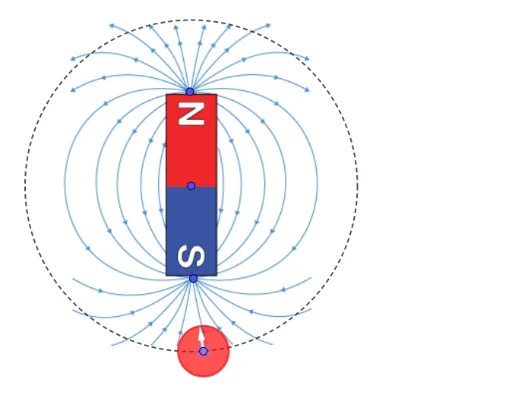
This example demonstrates the dynamic relationship between a compass and a magnet, visualizing the changes in magnetic field lines and compass direction. Core mathematical concepts include 2D vectors, integers, piecewise functions, algebra, parametric curves, and quadratic functions. The construction utilizes GeoGebra commands and objects such as Circle, Point, Vector, Length, Segment, and Intersect. It is suitable for high school students learning about spatial vectors, parametric equations, and function graphs, serving as an interdisciplinary tool for physics and mathematics education.
GeoGebra Commands & Parameters
Circle(E, F) → cPoint(c) → GVector(C, G) → uVector(G, D) → vLength(u) → duLength(v) → dvVector(G, H) → wCircle(G, 0.7) → dSegment(G, H) → fIntersect(d, f) → I,Vector(G, I) → a
AI Drawing Prompt Reference
Draw a dynamic relationship diagram between a magnet and a compass. First, draw a circle, then take a point on the circle as the compass position. Next, draw two vectors from the center of the circle to different directions, calculate the lengths of these vectors. Then, draw a small circle centered at the compass, and draw a line segment from the compass, intersecting the small circle to get a point. Finally, draw a vector from the compass to the intersection point.
The prompt above was compiled from the original drawing commands and is for reference only.