
Magic Point 11: Slider Moves Point Between A and B
Loading the math board and drawing, please wait…
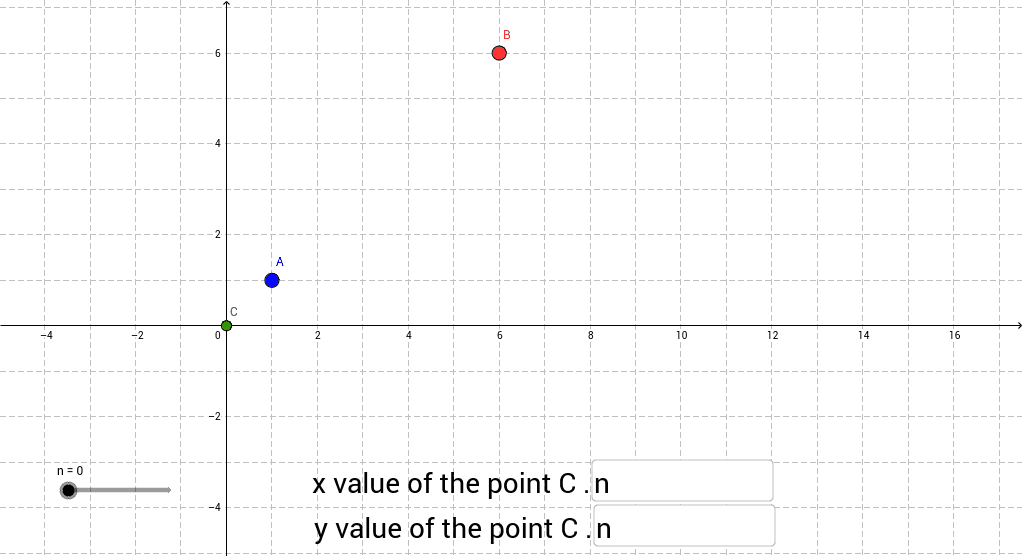
This example demonstrates a dynamic construction where a slider controls a point C that travels continuously between two fixed points A and B, showing real‑time coordinate updates. The core mathematics includes linear interpolation in coordinate geometry, parametric equations, continuity, and the visualisation of a function graph. Construction highlights: Textfield objects create input boxes; an If statement evaluates the slider value; points A, B, n, a, b, c are defined; inputBox1 and inputBox2 capture user‑entered coordinate expressions; point C is then defined to move with the slider n. It is suitable for high‑school analytic geometry and function lessons, as well as introductory university courses on parametric line segments.
GeoGebra Commands & Parameters
Textfield(a) → inputBox1Textfield(b) → inputBox2If(b > 0, 0 * n + b, b) → c
AI Drawing Prompt Reference
Create a dynamic illustration showing a slider controlling point C moving continuously between two fixed points, updating coordinates in real-time. The slider moves C based on input coordinate expressions between A and B, with text boxes for input and a conditional statement determining direction, suitable for demonstrating linear interpolation, parametric equations, and function graphs.
The prompt above was compiled from the original drawing commands and is for reference only.