
Mae's Cone
Loading the math board and drawing, please wait…
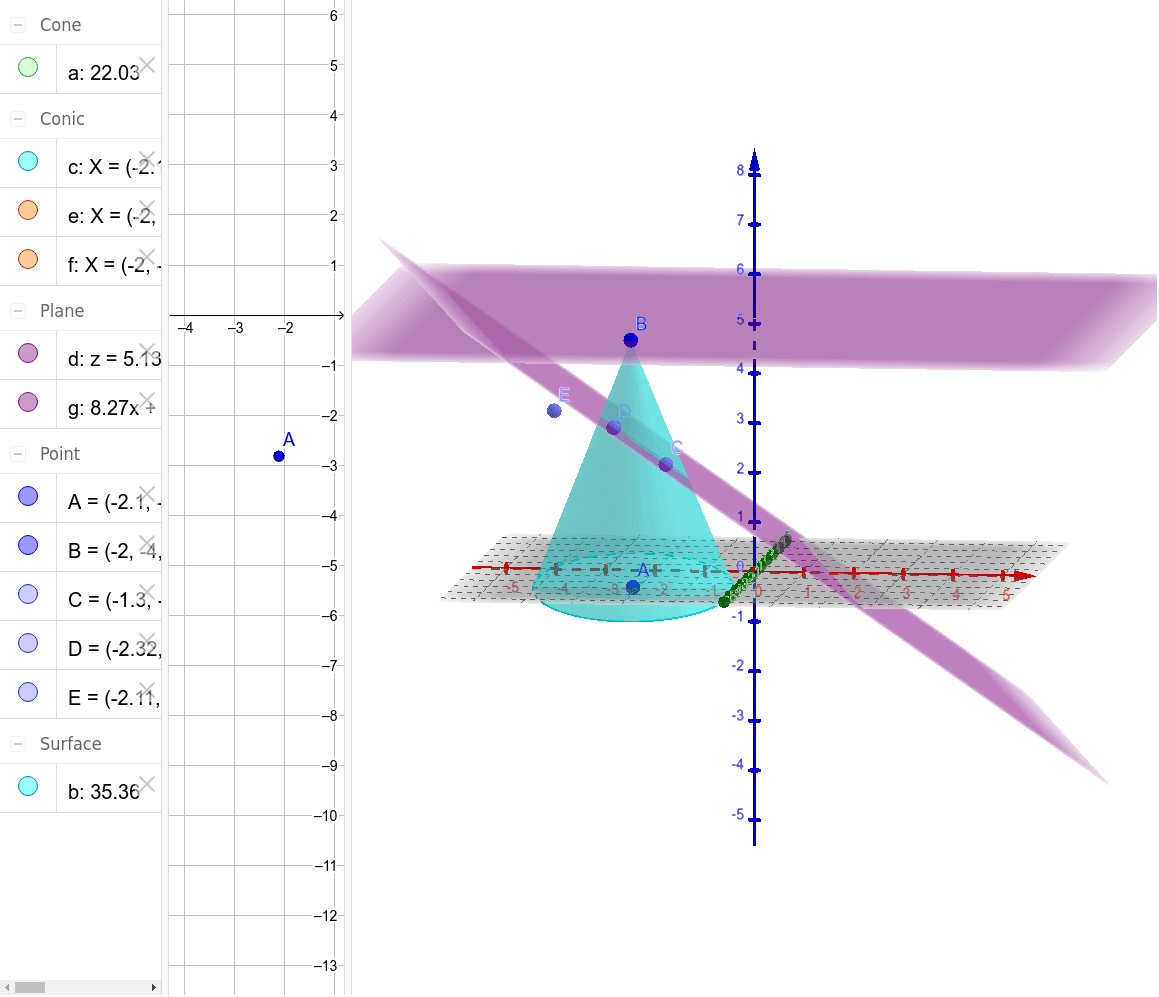
This example demonstrates the intersection of a cone with a plane and its variations. Core math concepts include cone, quadratic functions, natural numbers, multiplication, limits, and confidence intervals. It uses GeoGebra commands like Cone, Plane, IntersectPath, and PointIn. Suitable for high school mathematics teaching to understand the combination of spatial geometry and function relationships.
GeoGebra Commands & Parameters
Cone(A, B, 2) → a, c, bPlane(B, xOyPlane) → dIntersectPath(d, a) → eIntersectPath(d, a) → fPointIn(b) → CPointIn(b) → DPointIn(d) → EPlane(C, D, E) → g
AI Drawing Prompt Reference
Draw a cone intersecting with a plane to show their intersection line, add three points located at the cone's vertex and on the plane, then create a new plane using these three points, presenting the relationship among the cone, plane, intersection line, and the newly formed plane.
The prompt above was compiled from the original drawing commands and is for reference only.