
Loupe III
Loading the math board and drawing, please wait…
In collections
Function-Loupe
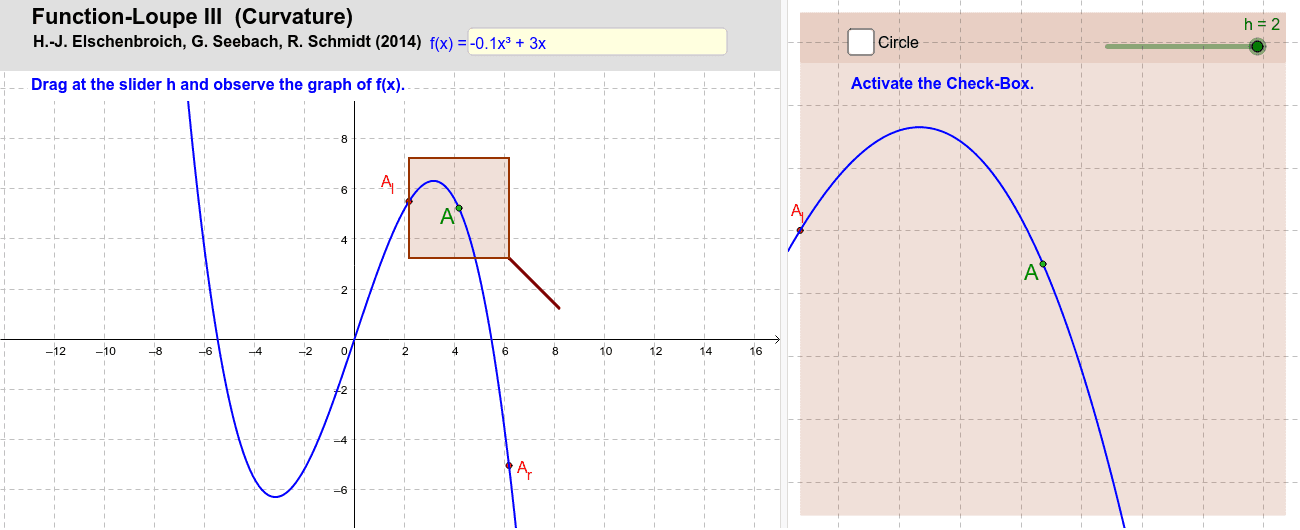
This example demonstrates the construction of Loupe III. It involves key mathematical concepts such as geometric construction and polygons. Using GeoGebra commands like Textfield, Point, Polygon, etc., a complex geometric figure is constructed. Suitable for high school and above students to learn geometric construction and polygon construction.
GeoGebra Commands & Parameters
Textfield(f) → Textfeld1Point(f) → APolygon(A + ((-h), (-h)), A + (h, (-h)), A + (h, h), A + ((-h), h)) → Lupe, i, j, l, mMidpoint(A_l, Al) → BMidpoint(A, Ar) → CSegment(A + (h, (-h)), A + (2 * (h, (-h)))) → griff1Segment(A + (min, (-min)), A + (2 * (min, (-min)))) → griff2If(h > min, griff1, griff2) → griffPolygon(F, G, D, E) → Vieleck4, f_2, g_2, d_2, e_2LineBisector(A, A_r) → m_2LineBisector(A, A_l) → m_1Intersect(m_2, m_1) → MCircle(M, A) → kSegment(M, A) → rRadius(k) → radius
AI Drawing Prompt Reference
Draw a complex geometric figure consisting of a square and two triangles, with the center of the square connected to two line segments parallel to the square's sides that extend outward, lines connecting the center of the square to the vertices forming two segments that intersect at the center, and a circle formed by connecting this intersection point to the center of the square, with a radius line connecting the center to the circle.
The prompt above was compiled from the original drawing commands and is for reference only.