
Logarithmic Action Dynamic Discovery
Loading the math board and drawing, please wait…
In collections
Exploring Exponential & Logarithmic Functions
Exploring Exponential & Logarithmic Functions
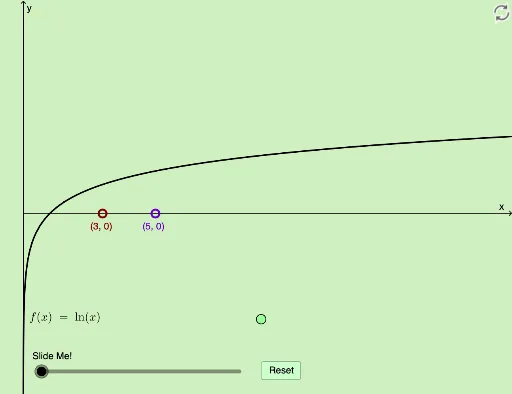
This example demonstrates the dynamic and modifiable properties of logarithms in a geometric context, involving concepts like logarithmic operations, rotation, square, orthocenter, and fractal geometry. It utilizes GeoGebra commands and objects such as Textfield, Intersect, Dilate, Segment, Vector, Translate, Rotate, and Distance as outlined in the construction summary. Suitable for high school and above, it serves as an educational tool for exploring the relationship between logarithmic functions and geometric transformations.
GeoGebra Commands & Parameters
Textfield(a) → InputBox1Textfield(f_1) → InputBox2Textfield(f) → InputBox3Intersect(f, h, 1) → EDilate(F, If[0 < d ≤ 1, 1 - d, 0], A) → F'Dilate(A, If[1 < d ≤ 2, 2 - d, 0], B) → A'Segment(A, A') → jDilate(B, If[2 < d ≤ 3, 3 - d, 0], G) → B'Vector(B, B') → uTranslate(A, u) → A'_1Translate(A', u) → A''Segment(A'_1, A'') → j'Rotate(A'_1, If[3 < d ≤ 4, ((-(d - 3)) * π / 2), ((-π)) / 2], F) → HRotate(A'', If[3 < d ≤ 4, ((-(d - 3)) * π / 2), ((-π)) / 2], F) → A'''Segment(H, A''') → j''Rotate(A'_1, If[3 < d ≤ 4, ((d - 3) * π / 2), π / 2], F) → IRotate(A'', If[3 < d ≤ 4, ((d - 3) * π / 2), π / 2], F) → A'''_1Dilate(D, If[4 < d ≤ 5, 5 - d, 0], E) → D'Segment(D, D') → lDilate(A, If[1 < d ≤ 2, 2 - d, 0], C) → A'_2Segment(A, A'_2) → mDilate(A, If[2 < d ≤ 3, 3 - d, 0], R) → C'Vector(C, C') → vTranslate(A'_2, v) → KRotate(K, If[3 < d ≤ 4, ((-(d - 3)) * π / 2), ((-π)) / 2], F) → K'Intersect(f, p, 1) → NRotate(F, If[5 < d ≤ 6, ((d - 5) * π / 2), π / 2], F) → F'_1Rotate(F', If[5 < d ≤ 6, ((d - 5) * π / 2), π / 2], F) → F''Dilate(F, If[6 < d ≤ 7, 7 - d, 0], M) → F'_2Vector(F, F'_2) → wTranslate(F'_1, w) → PTranslate(F'', w) → F'''Distance(A, C) → distanceACVector(A, A'_2) → iDilate(Q, If[3 < d ≤ 4, 4 - d, 0], V) → Q'Vector(Q, Q') → v_1Distance(Q, V) → distanceQVVector(A, C') → b_1Translate(i, b_1) → i'Translate(C, b_1) → C'_1Vector(K, C'_1) → eDistance(K, C'_1) → distanceKC'1Dilate(Q, If[4 < d ≤ 5, 5 - d, 0], C'_1) → Q'_1Vector(Q, Q'_1) → qTranslate(V, q) → V'Vector(Q'_1, V') → u_1Distance(Q'_1, V') → distanceQ'1V'Dilate(W, If[6 < d ≤ 7, 7 - d, 0], L) → W'Vector(W, W') → w_1Distance(W, L) → distanceWL
AI Drawing Prompt Reference
Draw a geometric figure demonstrating logarithmic transformations, including logarithmic operations, rotations, squares, orthocenters, and fractal geometry. Start by creating input fields for the logarithmic function and parameter d, then perform a series of transformations such as rotations, translations, and dilations based on the value of d, generating a series of segments and points to illustrate the relationship between logarithmic functions and geometric transformations.
The prompt above was compiled from the original drawing commands and is for reference only.