
Loci of Conic Sections
Loading the math board and drawing, please wait…
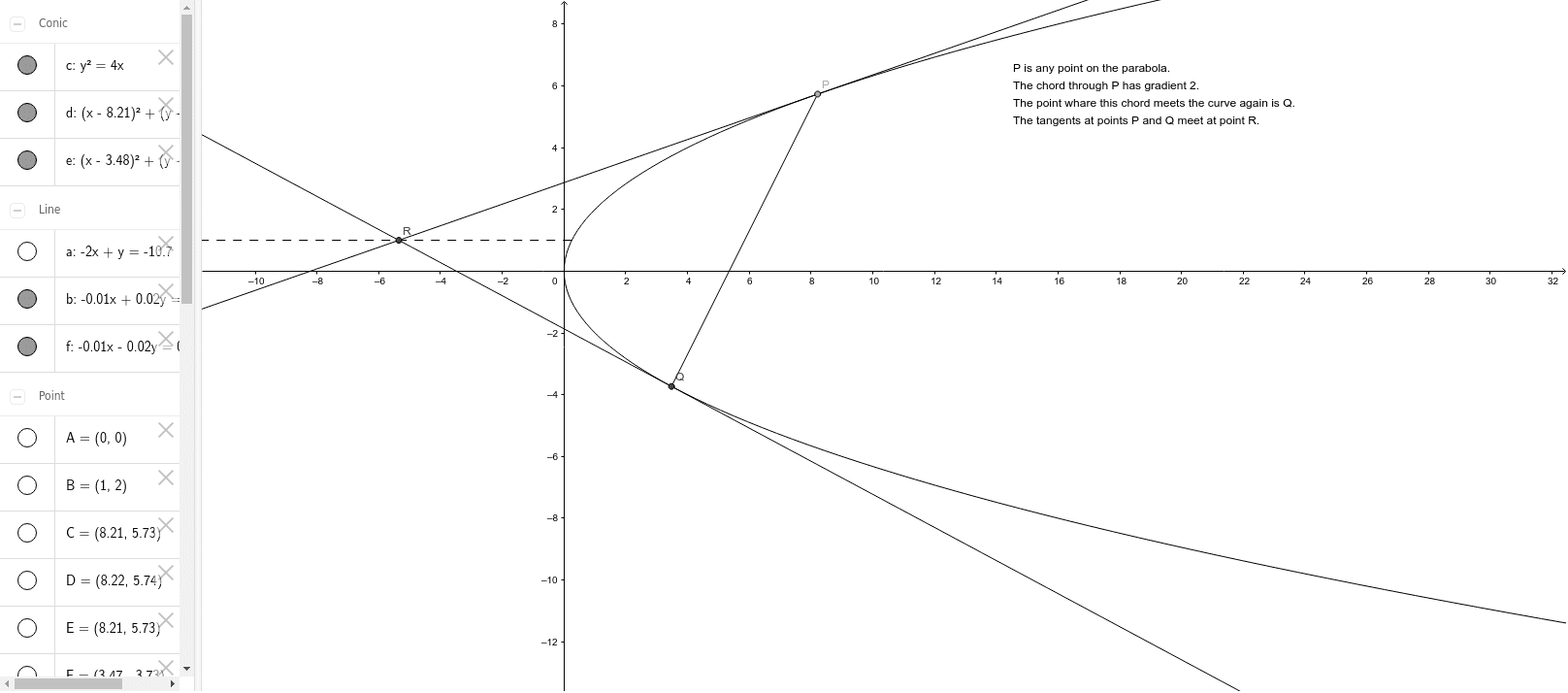
This example demonstrates the generation process of conic section loci. Key math concepts include conic sections, vectors, transformations, and coordinate geometry. Construction highlights involve commands/objects like Point, Vector, Translate, Line, Circle, Intersect, Segment, Ray as per the GeoGebra summary. Suitable for high school and above learners to understand the properties and dynamic changes of conic sections.
GeoGebra Commands & Parameters
Point(c) → PVector(A, B) → uTranslate(P, u) → P'Line(P, P') → aCircle(P, 0.01) → dIntersect(c, d) → C, D, ,Line(C, D) → bIntersect(c, a) → E, QCircle(Q, 0.01) → eIntersect(c, e) → F, G, ,Line(G, F) → fIntersect(f, b) → RSegment(Q, P) → gRay(H, R) → h
AI Drawing Prompt Reference
Draw a circle and a line passing through its center. Generate a vector from the center to any point on the line, then translate the center along this vector to get a new point. Connect the center and the new point to form a new line. Find the intersections of the circle and the new line, use these intersection points to generate new lines and circles, and repeat this process until an ellipse is formed. Finally, connect the center and the intersection points of the new circle to draw a ray.
The prompt above was compiled from the original drawing commands and is for reference only.