
Locating Fractions on a Number Line by Steve Cheung
Loading the math board and drawing, please wait…
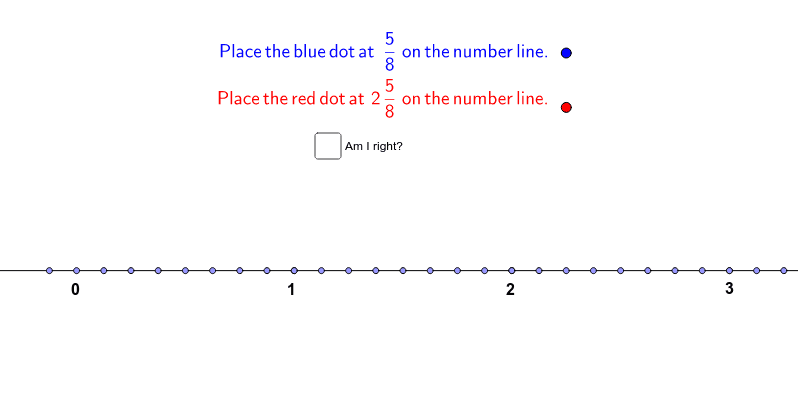
This example demonstrates how to accurately place two randomly generated fractions on a number line. It involves core math concepts like fraction comparison, number line representation, and fraction ordering. The construction uses GeoGebra commands/objects such as Line, Point, Circle, and Intersect. Suitable for upper elementary or middle school students to learn the correspondence between fractions and number lines, ideal for classroom demonstration or practice.
GeoGebra Commands & Parameters
Line(A, B) → aPoint(a) → CPoint(a) → DPoint(a) → EPoint(a) → FPoint(a) → GPoint(a) → HPoint(a) → IPoint(a) → JPoint(a) → KPoint(a) → MPoint(a) → NPoint(a) → OPoint(a) → SPoint(a) → VPoint(a) → WPoint(a) → ZPoint(a) → A_1Circle(A, denominator 1) → cCircle(A, denominator 2) → dCircle(A, denominator 3) → eCircle(A, denominator 4) → fCircle(A, denominator 5) → gCircle(A, denominator 6) → hCircle(A, denominator 7) → kCircle(A, denominator 8) → pCircle(A, denominator 9) → qCircle(A, denominator 10) → rCircle(A, denominator 11) → sCircle(A, denominator 12) → tIntersect(c, a) → B_1, C_1Intersect(d, a) → D_1, E_1Intersect(e, a) → F_1, G_1Intersect(f, a) → H_1, I_1Intersect(g, a) → J_1, K_1Intersect(h, a) → L_1, M_1Intersect(k, a) → N_1, O_1Intersect(p, a) → P_1, Q_1Intersect(q, a) → R_1, S_1Intersect(r, a) → T_1, U_1Intersect(s, a) → V_1, W_1Intersect(t, a) → Z_1, A_2Point(a) → D_2Point(a) → E_2Point(a) → H_2Point(a) → I_2
AI Drawing Prompt Reference
Draw a horizontal number line and place two randomly generated fraction points on it. Start by drawing a straight line as the number line, then place several points randomly on it. Next, draw multiple circles with centers at these points, using denominators from 1 to 12 as radii. The intersections of these circles with the number line represent the fraction positions, which should be ordered by size on the number line.
The prompt above was compiled from the original drawing commands and is for reference only.