
Lines from Points and Vectors
Loading the math board and drawing, please wait…
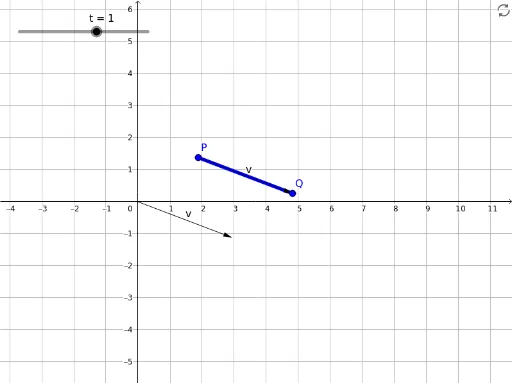
This example demonstrates how to draw lines using points and vectors, showcasing dynamic changes. Core math concepts include vectors, coordinate geometry, and geometric transformations. It utilizes GeoGebra commands like Intersect, Vector, CurveCartesian, and Translate, along with objects Q, P, B, v, t, a, P', u. Suitable for high school and above students to learn about vector-line relationships, ideal for teaching demonstrations and geometric constructions.
GeoGebra Commands & Parameters
Intersect(xAxis, yAxis) → BVector(Q - P) → vCurveCartesian(x(P) + ((abs(t) / t * s) * x(v)), y(P) + ((abs(t) / t * s) * y(v)), s, 0, abs(t)) → aTranslate(P, v) → P'Vector(P, P') → u
AI Drawing Prompt Reference
Draw vector v from point Q to point P, then use points P and v to create a dynamic line a. Translate point P along vector v to get point P', and then draw vector u using points P and P'. Show the relationship between points, vectors, and lines, and how to dynamically generate lines through translation transformations.
The prompt above was compiled from the original drawing commands and is for reference only.