
Linear Functions Parameter Plane
Loading the math board and drawing, please wait…
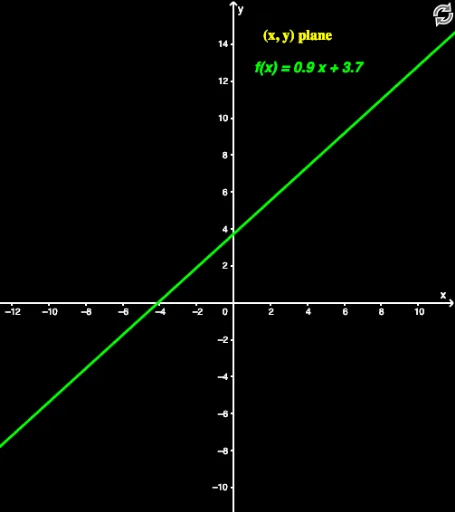
This example demonstrates the parameter plane of linear functions. It involves the core mathematical concept of linear functions. By dragging points A and B, the slope and intercept of the line can be changed, allowing observation of the changes in linear functions. The commands used in the construction summary include Point, Polynomial, and Linear Functions. It is suitable for students at the junior high school level and above to learn about the properties and changes of linear functions.
GeoGebra Commands & Parameters
Polynomial({A, B}) → fPoint(f) → C
AI Drawing Prompt Reference
Draw a coordinate plane with a straight line determined by two draggable points on it. The line's slope and intercept change as the points move, showing how linear functions vary. Place an additional movable point on the line to mark any position along it. The graph should clearly show axes, grid, and the dynamic adjustment of the line, suitable for middle school students to explore linear function properties.
The prompt above was compiled from the original drawing commands and is for reference only.