
Linear Differential Equation Solver with Slope Field Visualization
Loading the math board and drawing, please wait…
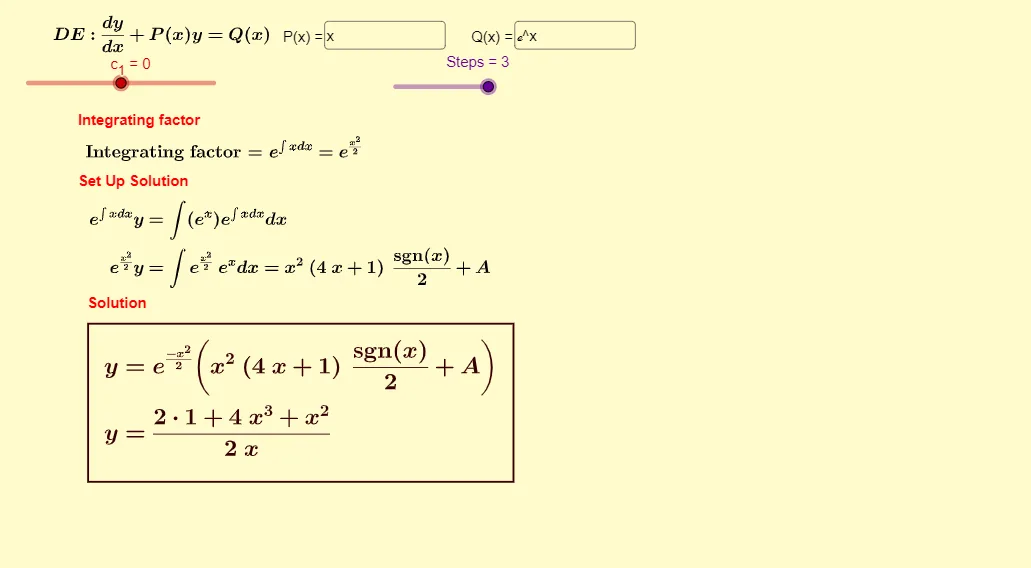
This GeoGebra example demonstrates how to visualize solution families of a linear ordinary differential equation using a slope field, and then obtain the corresponding solution once an initial condition is specified. It focuses on key ideas such as linear ODE structure (general solution with constants), how initial values determine a particular solution, and the use of integration and algebraic simplification to express results clearly. Construction-wise, it employs Integral and Simplify for symbolic integration and formula cleanup, SolveODE to compute the ODE solution, and SlopeField to render the direction field that matches the equation’s derivative at each point. Textfield and InputBox1/InputBox2 are used to gather parameters and initial conditions, while LaTeX and step/text objects (e.g., Steps, text1–text7) present the derivation and final expressions in a readable form. The example is suitable for advanced high school students and early university learners studying calculus and ODEs, as well as for interactive classroom demonstrations.
GeoGebra Commands & Parameters
Integral(P, x) → JSimplify((-J(x))) → KSimplify(ℯ^(J(x))) → IIntegral((I(x) * Q(x))) → fSimplify(f) → gTextfield(P) → InputBox1Textfield(Q) → InputBox2SlopeField(H(x, y)) → slopefield1SolveODE(H(x, y)) → hLaTeX((I(x) * Q(x))) → modText
AI Drawing Prompt Reference
Visualize the slope field of a linear ordinary differential equation, showing the direction field first, then plot solution curves based on an initial condition. Use integration and simplification to express results, input parameters and initial conditions via text fields, and display the derivation and final expressions in LaTeX format.
The prompt above was compiled from the original drawing commands and is for reference only.