
Line Determined by Two Points
Loading the math board and drawing, please wait…
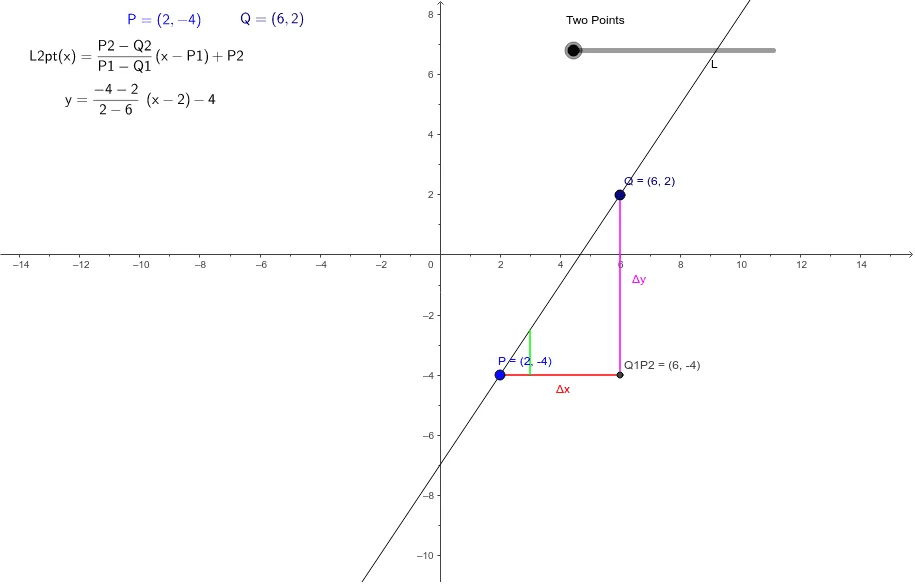
This applet demonstrates how to determine a line using two points and shows various forms of the line equation. Key mathematical concepts include line equations, slope, and intercept. Using GeoGebra commands such as Line, Segment, Locus, etc., users can visually understand the geometric construction of a line. Suitable for middle school and above students and teachers.
GeoGebra Commands & Parameters
Line(P, Q) → LSegment(Q, Q1P2) → ΔySegment(Q1P2, P) → ΔxSegment((x(P) + 1, y(P)), (x(P) + 1, y(P) + m)) → mSeg
AI Drawing Prompt Reference
Draw a line determined by two points and show its equation. First, draw two points P and Q, then draw a line L through these two points. Next, draw two perpendicular line segments from point Q, representing Δy and Δx. Finally, draw a line segment mSeg to represent the slope.
The prompt above was compiled from the original drawing commands and is for reference only.