
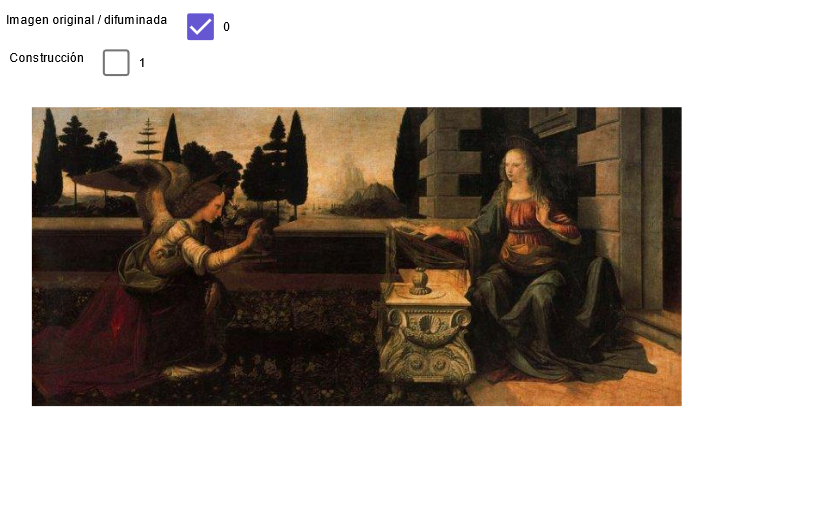
Leonardo: The Annunciation (4) — Geometric Construction
Loading the math board and drawing, please wait…
In collections
geometriadinamica.es
This example demonstrates how to build a composition-like geometric layout using classic construction tools: key points are generated via intersections of lines, orthogonal (perpendicular) lines, and circular arcs, and then connected to form an overall outline and guiding structure. The core math concepts include point-line intersection, constructing perpendicular lines (OrthogonalLine), rays and segments, circle construction and circle-related intersection points, and finding a midpoint (Midpoint) to anchor symmetry and proportions. Construction highlights: it is created with GeoGebra commands Line, Point, OrthogonalLine, Intersect, Ray, Segment, Circle, Midpoint, and Polygon, using many derived objects such as fundamental points (A, B, C, … and their intersection/auxiliary points), lines/rays (g, h, i, j, …), and circles (a, b, c, …). Suitable for secondary-school geometry construction lessons and learning activities focused on turning elementary elements into complex, structured diagrams.
GeoGebra Commands & Parameters
Line(A, T) → aPoint(a) → BOrthogonalLine(A, a) → bOrthogonalLine(C, b) → cOrthogonalLine(B, a) → dIntersect(c, d) → DRay(D, A_1) → ePoint(e) → ESegment(D, E) → fCircle(E, D) → pIntersect(p, e, 2) → FCircle(F, E) → qIntersect(q, e, 2) → GCircle(G, F) → rIntersect(r, e, 2) → HCircle(H, G) → sIntersect(s, e, 2) → ILine(C, I) → nLine(H, n) → tLine(G, t) → a1Line(F, a1) → b1Line(E, b1) → c1Intersect(c, t) → JIntersect(c, a1) → KIntersect(c, b1) → LIntersect(c, c1) → MOrthogonalLine(J, c) → d1OrthogonalLine(K, c) → e1OrthogonalLine(L, c) → f1OrthogonalLine(M, c) → g1Intersect(a, d1) → NIntersect(a, e1) → OIntersect(a, f1) → PIntersect(a, g1) → QSegment(N, J) → h1Segment(K, O) → i1Segment(P, L) → j1Segment(M, Q) → k1Midpoint(C, D) → RMidpoint(R, C) → SMidpoint(R, D) → UMidpoint(A, B) → VSegment(A, S) → l1Segment(S, V) → m1Segment(V, U) → n1Segment(U, B) → p1Circle(K, L) → q1Circle(L, K) → r1Intersect(q1, i1) → W,Intersect(r1, j1) → Z,Polygon(K, W, Z, L) → poly1, k_1, w, z, l_1
AI Drawing Prompt Reference
This is a geometric construction diagram featuring multiple perpendicular lines and circles. The diagram consists of points, lines, rays, line segments, and circular arcs, connected through intersection points to form an overall outline. Key points such as midpoints help anchor symmetry and proportions. The construction order starts with perpendicular lines, then circles and intersection points are generated, and finally these points are connected to form the structure. The diagram exhibits symmetry and proportional relationships, suitable for geometry learning.
The prompt above was compiled from the original drawing commands and is for reference only.