
Length Ratio and Area Ratio of Two Similar Figures
Loading the math board and drawing, please wait…
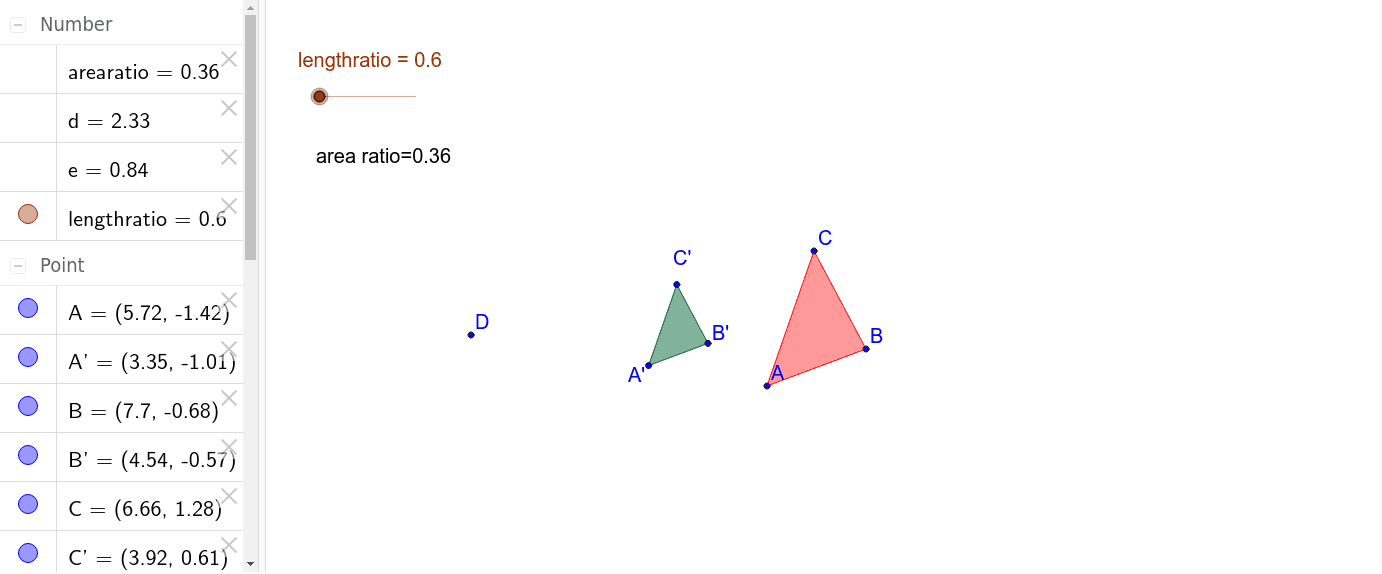
This GeoGebra example demonstrates the relationship between the length ratio and area ratio of two similar triangles. It visually shows that when two figures are similar, the ratio of corresponding side lengths is constant, and the ratio of their areas equals the square of that length ratio. The construction uses the Polygon command to create the original triangle poly1, then applies the Dilate command to produce a scaled similar triangle poly1' about a center point. Corresponding sides a, b, c and a', b', c' are automatically generated, and the length ratio (lengthratio) and area ratio (arearatio) are computed and displayed as text (text2). This interactive model is suitable for middle school or high school students learning about similarity and proportional reasoning, and can be used for classroom demonstrations or exploratory activities to verify the square relationship between area and linear scale factors.
GeoGebra Commands & Parameters
Polygon(C, A, B) → poly1, b, c, aDilate(C, lengthratio, D) → C'Dilate(A, lengthratio, D) → A'Dilate(B, lengthratio, D) → B'Polygon(C', A', B') → poly1', b', c', a'Area(C', A', B') → eArea(poly1) → d
AI Drawing Prompt Reference
Draw two similar triangles where one is a scaled version of the other around a center point, showing the ratio of corresponding side lengths and the relationship that the area ratio equals the square of the length ratio, with a slider to control the scaling factor and labels for the side lengths and area ratios.
The prompt above was compiled from the original drawing commands and is for reference only.