
Law of Sines by Andrea Guerra
Loading the math board and drawing, please wait…
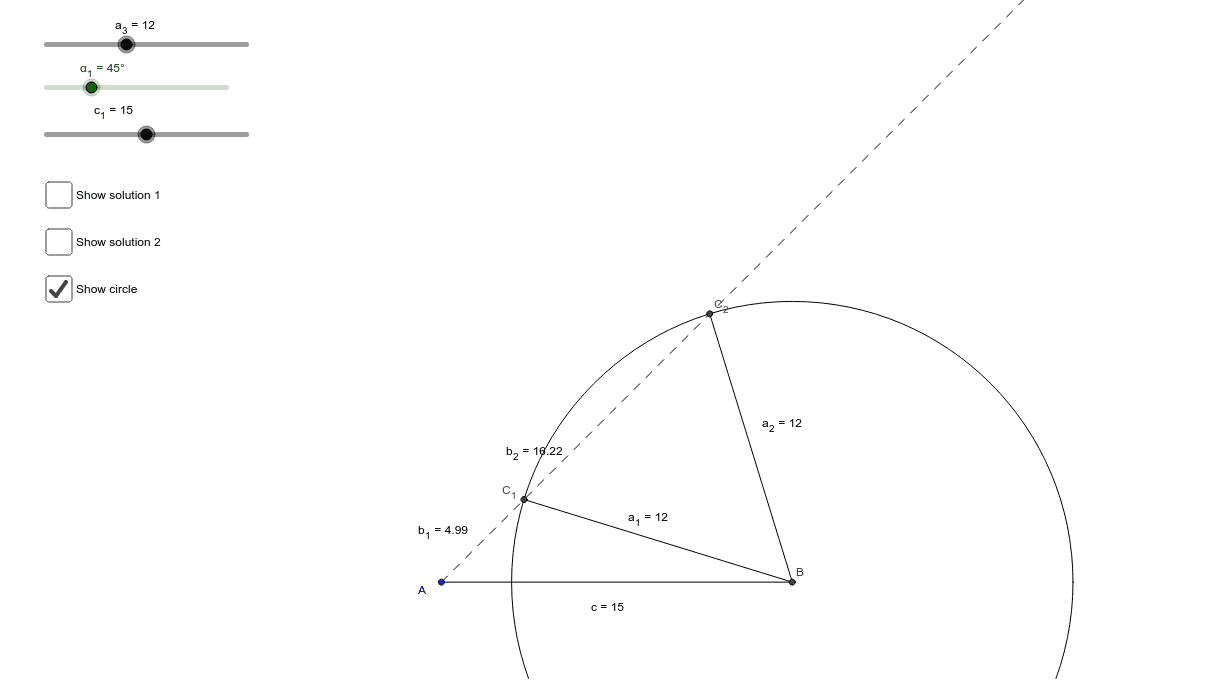
This applet dynamically demonstrates the relationship between side lengths and angles in the Law of Sines, especially the ambiguous case. Key mathematical concepts include trigonometry and geometric construction. It utilizes commands such as Circle, Intersect, Segment, Rotate, Angle, Ray, and Polygon in GeoGebra. Suitable for high school mathematics education.
GeoGebra Commands & Parameters
Circle(A, c_1) → dIntersect(d, b_3, 2) → BSegment(A, B) → cCircle(B, a_3) → fRotate(B, α_1, A) → B'Angle(B, A, B') → αRay(A, B') → bIntersect(f, b, 1) → C_1Intersect(f, b, 2) → C_2Segment(C_1, B) → a_1Segment(C_2, B) → a_2Segment(C_1, A) → b_1Segment(A, C_2) → b_2Polygon(A, B, C_1) → poly1, c_2, a, b_4Polygon(A, B, C_2) → poly2, c_3, a_4, b_5Angle(C_1, B, A) → βAngle(A, C_1, B) → γAngle(A, C_2, B) → γ_2Angle(C_2, B, A) → β_2
AI Drawing Prompt Reference
Draw a dynamic illustration showing the relationship between side lengths and angles in a triangle, including two triangles and a slider to demonstrate the Law of Sines, especially the ambiguous case. Start by drawing a circle, find intersections, draw segments and rays, then draw another circle and rotate it to get new points and angles, finally connect the points to form polygons and label the angles and sides to show the application of the Law of Sines.
The prompt above was compiled from the original drawing commands and is for reference only.