
Law of Sines - Ambiguous Case by Brendon
Loading the math board and drawing, please wait…
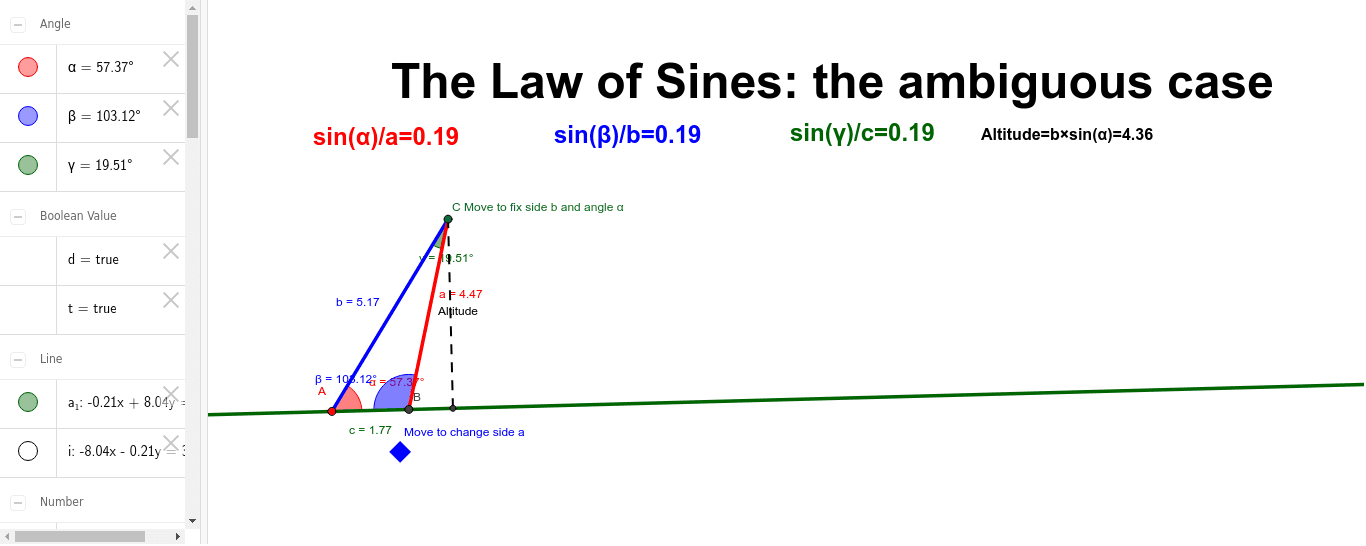
This example demonstrates the ambiguous case of the Law of Sines in triangle geometry, where given two sides and a non-included angle, two distinct triangles may be formed. It involves core concepts like the Law of Sines, triangle solving, and ambiguous case analysis. The construction uses commands such as Line, Segment, Angle, Intersect, Defined, If, OrthogonalLine to create triangles and visualize the ambiguity through sliders and conditional logic. Suitable for high school mathematics education to help students understand the applicability and special cases of the Law of Sines.
GeoGebra Commands & Parameters
Line(A, B_1) → a_1Segment(A, C) → bAngle(B_1, A, C) → αSegment(C, MoveMe) → SideaIntersect(Sidea, a_1) → BAngle(C, B, A) → βAngle(A, C, MoveMe) → γSegment(A, B) → cSegment(C, B) → aDefined(β) → dIf(a < h, "No Triangle Possible!") → text6If(a < h, "No Triangle Possible") → text7OrthogonalLine(C, a_1) → iIntersect(a_1, c) → DIntersect(i, a_1) → ESegment(E, C) → AltitudeIf(a < h, Text["No Triangle Possible!"]) → text8If(a < h, Text["No Triangle Possible!"]) → text9If(a < h, Text["No Triangle Possible!"]) → text10_2If(a < h, Text["No Triangle Possible!"]) → NoneDefined(a) → t