
Labelled Points on a House Picture
Loading the math board and drawing, please wait…
In collections
UNSW MATH1131/1231 Algebra material
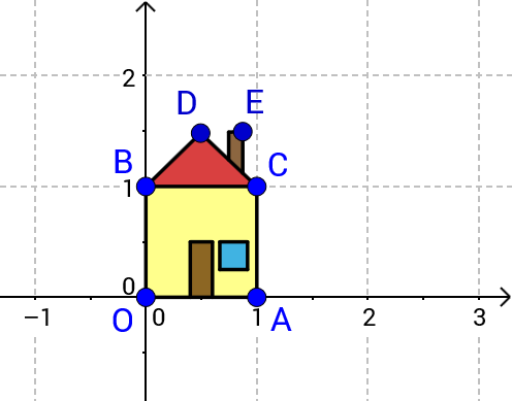
This example demonstrates the application of coordinates and vectors in a graphical context by labelling points on a house image. Core math concepts include integers, intersections, bar charts, complex numbers, and matrices. It utilizes GeoGebra commands such as Intersect, Segment, Vector, Translate, Point, and Polygon. Suitable for high school mathematics teaching, focusing on coordinate geometry and vector operations.
GeoGebra Commands & Parameters
Intersect(xAxis, yAxis) → C_1Segment(C_1, A) → aSegment(C_1, B) → bVector(C_1, A) → uTranslate(B, u) → CVector(B, C) → v'Segment(A, C) → cSegment(B, C) → dVector(C_1, B) → vPoint(w) → DSegment(B, D) → eSegment(C, D) → fSegment(E_1, H) → gSegment(E, F) → hSegment(E, H) → iSegment(J, M) → jSegment(L, M) → kSegment(L, K) → lSegment(N4, N1) → mSegment(N2, N3) → nSegment(N4, N3) → pSegment(N1, N2) → qPolygon(C_1, A, C, B) → poly1, c_1, a_1, b', b_1Polygon(J, K, L, M) → poly2, j_1, k_1, l_1, m_1Polygon(N4, N1, N2, N3) → poly3, n4, n1, n2, n3Polygon(B, D, C) → poly4, b'_1, b_2, d_1Polygon(E_1, F, E, H) → poly5, e_1, f_1, i_1, h_1
AI Drawing Prompt Reference
Draw a house with labeled points, showing key intersections, line segments, vectors, and multiple polygons formed by these elements. Start by plotting the axes and marking their intersection, then connect the intersection to the house's vertices to form edges. Draw vectors from the intersection and use them to translate points, connecting these to create polygons. The final image should display a labeled house, illustrating the application of coordinate geometry and vector operations.
The prompt above was compiled from the original drawing commands and is for reference only.