
Kite Geometry and Construction
Loading the math board and drawing, please wait…
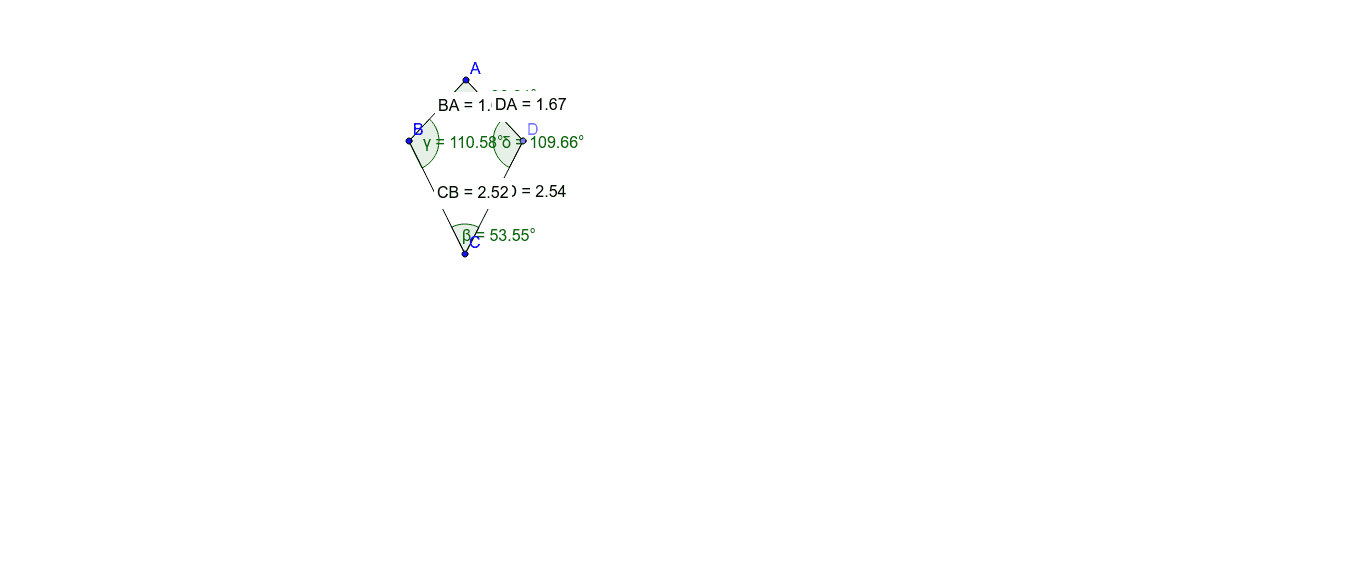
This example demonstrates the construction and properties of a kite shape using GeoGebra. Key mathematical concepts include geometric construction, sequences and series, solid geometry, and integral calculus. The construction involves commands like Circle, Point, Segment, Angle, Distance, and Midpoint to create the kite figure. It also uses Distance and Midpoint to verify geometric relationships. Suitable for middle school geometry learning and mathematical modeling practice, helping develop spatial visualization and geometric intuition.
GeoGebra Commands & Parameters
Circle(A, B) → cPoint(c) → DCircle(C, D) → dSegment(A, D) → aSegment(D, C) → bSegment(C, B) → eSegment(B, A) → fAngle(B, A, D) → αAngle(D, C, B) → βAngle(C, B, A) → γAngle(A, D, C) → δDistance(B, A) → distanceBADistance(D, A) → distanceDAMidpoint(D, A) →Distance(C, D) → distanceCDMidpoint(C, D) →Distance(C, B) → distanceCBMidpoint(C, B) →
AI Drawing Prompt Reference
Draw a kite-shaped figure. The kite consists of two pairs of equal sides. Include a central point and line segments and angles to show symmetry. Ensure the figure looks balanced and easy to understand, suitable for geometry learning.
The prompt above was compiled from the original drawing commands and is for reference only.