
Kite Explore
Loading the math board and drawing, please wait…
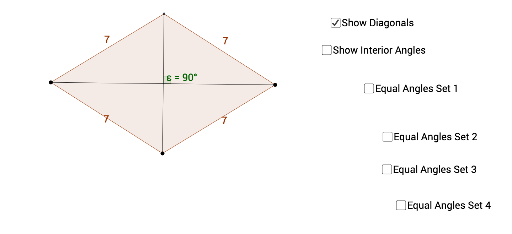
This example demonstrates the geometric properties and elements of a kite, involving core concepts like polygons, circles, angles, perimeter, median value, integral calculus, and linear functions. It constructs the kite and its circumcircle using commands such as Circle, Intersect, Polygon, Angle, Perimeter, PointIn, and Segment, making it suitable for high school mathematics teaching and geometric construction learning.
GeoGebra Commands & Parameters
Circle(A, B) → cCircle(C, B) → dIntersect(c, d, 2) → DPolygon(A, B, C, D) → poly1, a, b, c_1, d_1Angle(poly1) → α, β, γ, δPerimeter(poly1) → perimeterpoly1PointIn(poly1) → Pointpoly1Segment(B, D) → fSegment(A, C) → gIntersect(f, g) → EAngle(g, f) → εAngle(E, D, A) → ζAngle(E, B, A) → ηAngle(E, D, C) → θAngle(E, B, C) → ιAngle(D, A, E) → κAngle(B, A, E) → λAngle(D, C, A) → μAngle(B, C, A) → ν
AI Drawing Prompt Reference
Draw a kite ABCD with points A, B, C, and D as its vertices. Use the Circle command with A and B as centers and B as the radius to draw two circles, and their intersection point D is one of the kite's vertices. Connect A to B, B to C, C to D, and D to A to form the kite. Calculate and mark the perimeter and angles of the kite.
The prompt above was compiled from the original drawing commands and is for reference only.