
Kite Exploration by Vincent Panetta (2)
Loading the math board and drawing, please wait…
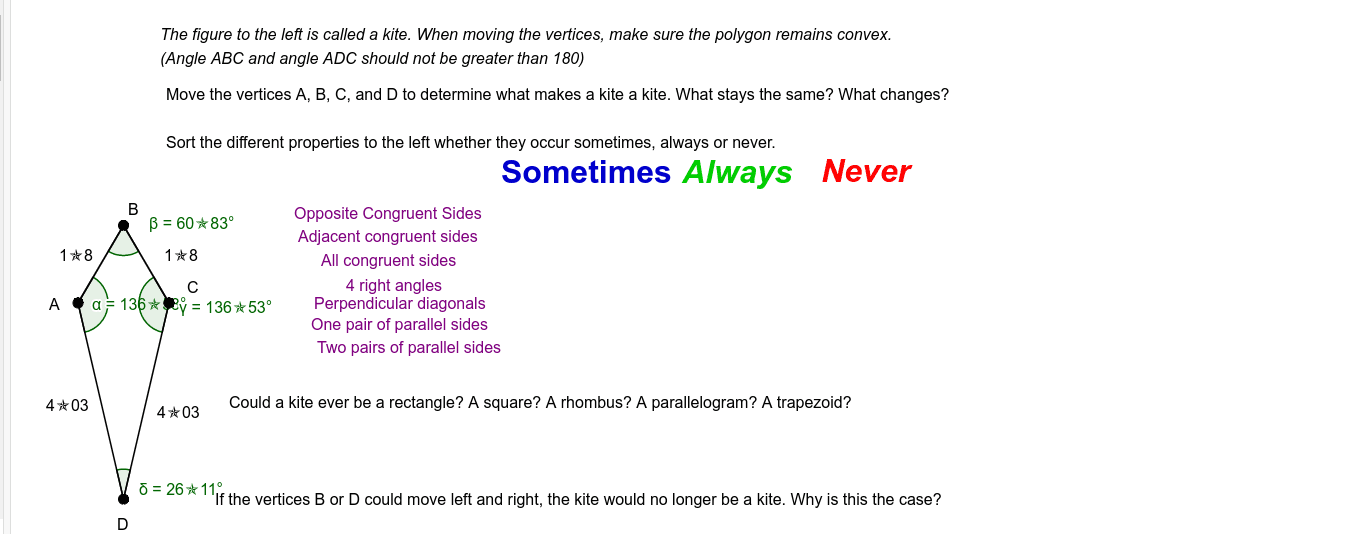
This example demonstrates the properties of a kite. Key mathematical concepts include the definition of a kite, its symmetry, and the relationships between its angles and segments. Using GeoGebra commands such as Segment, LineBisector, and Point, one can dynamically explore the construction of a kite. Suitable for middle school and above students or teachers.
GeoGebra Commands & Parameters
Segment(A, C) → fLineBisector(f) → gPoint(g) → BPoint(g) → DSegment(A, D) → hSegment(D, C) → iSegment(C, B) → jSegment(B, A) → kAngle(D, A, B) → αAngle(A, B, C) → βAngle(B, C, D) → γAngle(C, D, A) → δ
AI Drawing Prompt Reference
Draw a kite ABCD with A and C as the intersection of the diagonals, and B and D on the perpendicular bisector of AC. Use the segment tool to connect A and C, then construct the perpendicular bisector of AC and mark its intersection with AC as B and D. Finally, connect B, C, D, and A to form the kite and measure the angles.
The prompt above was compiled from the original drawing commands and is for reference only.