
Iteration on Quadratic Equation
Loading the math board and drawing, please wait…
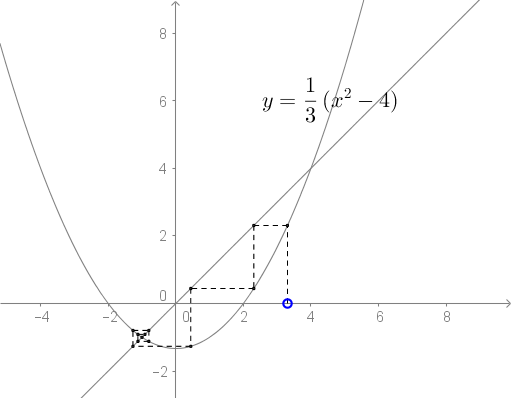
This example demonstrates the iteration process of a quadratic equation. Key mathematical concepts include quadratic equations and function graphs. Using GeoGebra commands such as Intersect, Point, and Segment, the iteration graph of the quadratic equation can be constructed. Suitable for high school mathematics education and learning.
GeoGebra Commands & Parameters
Intersect(f, b, (-1.0000000000001168, -0.9999999999999222)) → XPoint(xAxis) → ASegment(A, A1) → cSegment(A1, B1) → dSegment(A2, B2) → eSegment(A3, B3) → gSegment(B1, A2) → hSegment(B2, A3) → iSegment(A4, B4) → jSegment(B3, A4) → kPoint(f) → BSegment(A5, B5) → aSegment(B4, A5) → lSegment(A6, B6) → mSegment(B5, A6) → n
AI Drawing Prompt Reference
Draw an iteration process graph of a quadratic equation, marking the intersection point of the function with the x-axis, then sequentially connect the intersection points with points on the function curve to form a series of line segments, demonstrating the iterative relationship, starting from the first intersection point and extending outward step by step, ultimately forming a complex shape composed of multiple line segments, reflecting the connection between the function graph and coordinate geometry.
The prompt above was compiled from the original drawing commands and is for reference only.