
Isosceles Triangles: Geometric Construction and Mathematical Concepts
Loading the math board and drawing, please wait…
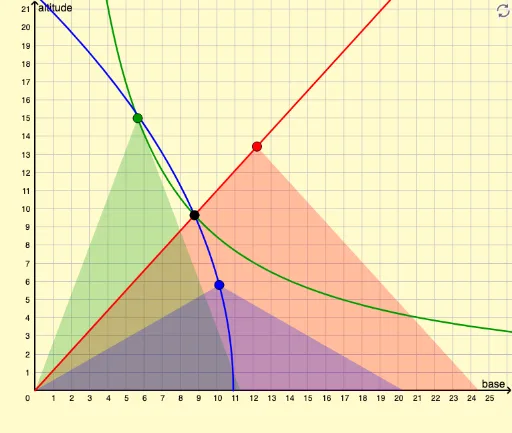
This example demonstrates the geometric construction and properties of isosceles triangles. Key mathematical concepts include symmetry, side length relationships, and angle calculations. Construction involves GeoGebra commands such as Ray, Point, and Polygon to create triangle objects, with parameterization for dynamic adjustments. Suitable for middle or high school mathematics education to understand basic triangle properties and construction techniques.
GeoGebra Commands & Parameters
Ray(A, B) → bPoint(b) → EPoint(f) → GPolygon(A, E, N) → poly4, n, a_4, e_2Polygon(A, G, O) → poly1, o, a_1, gPoint(h) → QPolygon(A, Q, R) → poly3, r, a_3, q
AI Drawing Prompt Reference
Draw an isosceles triangle to demonstrate its geometric construction and symmetry. Start by creating a ray, then place two points on it to serve as the triangle's apex and one endpoint of the base. Next, draw two equal segments from the apex to the base endpoints to determine the base length. Finally, connect the apex to the base endpoints to complete the isosceles triangle.
The prompt above was compiled from the original drawing commands and is for reference only.