
Isosceles Trapezoid
Loading the math board and drawing, please wait…
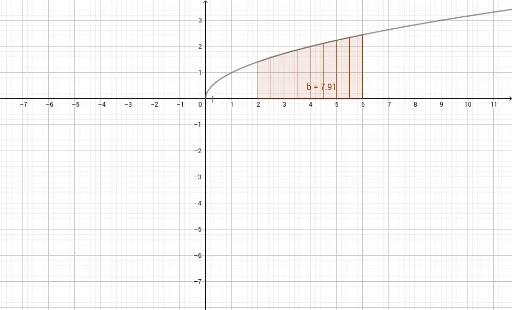
This example demonstrates the construction of an isosceles trapezoid. It involves the basic properties of isosceles triangles and trapezoids. By using the RectangleSum and TrapezoidalSum commands, it dynamically shows the method of calculating the area of a trapezoid. Suitable for middle and high school students to learn geometric construction and area calculation.
GeoGebra Commands & Parameters
RectangleSum(f, 2, 6, 8, 0.5) → aTrapezoidalSum(f, 2, 6, 8) → b
AI Drawing Prompt Reference
Draw an isosceles trapezoid and demonstrate its basic properties, dynamically showing how to calculate its area using the sum of rectangles and trapezoids. Begin by sketching a trapezoid with a longer base, then dynamically generate two rectangles inside it, corresponding to the two parts of the sum for area calculation, to visually illustrate the method.
The prompt above was compiled from the original drawing commands and is for reference only.