
Isosceles Trapezoid by Alexander LaBass
Loading the math board and drawing, please wait…
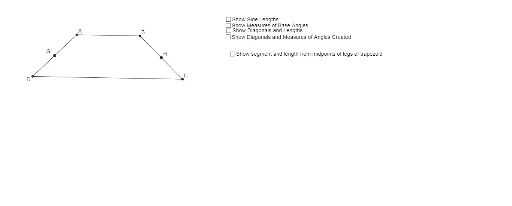
This example demonstrates the properties of an isosceles trapezoid, a special type of trapezoid with equal non-parallel sides. Using GeoGebra commands, the example constructs an isosceles trapezoid and measures its side lengths and angles. Key mathematical concepts include trapezoids, properties of isosceles trapezoids, and distance and angle measurements. Suitable for middle and high school students learning geometric constructions and related properties.
GeoGebra Commands & Parameters
Circle(A_1, B) → cCircle(A_1, C) → dLine(A_1, B) → aLine(A_1, C) → bIntersect(c, b, 1) → ASegment(A, B) → eIntersect(d, a, 1) → DSegment(A, D) → fSegment(D, C) → gSegment(C, B) → hDistance(A, B) → distanceABDistance(B, C) → distanceBCDistance(C, D) → distanceCDDistance(A, D) → distanceADAngle(D, A, B) → αAngle(A, B, C) → βAngle(B, C, D) → γAngle(C, D, A) → δSegment(D, B) → kSegment(A, C) → lDistance(B, D) → distanceBDDistance(A, C) → distanceACIntersect(k, l) → EDistance(A, E) → distanceAEDistance(B, E) → distanceBEDistance(C, E) → distanceCEDistance(D, E) → distanceDESegment(A, C) → nSegment(B, D) → pIntersect(n, p) → FAngle(A, F, B) → εAngle(B, F, C) → ζAngle(A, D, F) → ηAngle(F, D, C) → θAngle(D, A, F) → ιAngle(F, A, B) → κAngle(A, B, F) → λAngle(F, B, C) → μAngle(B, C, F) → νAngle(D, C, F) → ξMidpoint(D, A) → GMidpoint(C, B) → HSegment(G, H) → q
AI Drawing Prompt Reference
Draw an isosceles trapezoid by constructing two circles centered at the endpoints of the top base, passing through the bottom base endpoint; draw line segments for the top and bottom bases; find intersections of the circles with the bottom base line to complete the trapezoid; measure and label side lengths and angles; use a slider to adjust the trapezoid size and display the segment connecting midpoints.
The prompt above was compiled from the original drawing commands and is for reference only.